Send bulk email without exporting a contact list
Each mailing pulls from your live contact records in iService, so every send uses current addresses and properties. There's no export step and no second copy of your customer list to keep in sync.
 Request a Demo
Communication channel
iService® records each mailing on the customer’s contact, so whoever helps that customer next knows what you sent them.
Each mailing pulls from your live contact records in iService, so every send uses current addresses and properties. There's no export step and no second copy of your customer list to keep in sync.
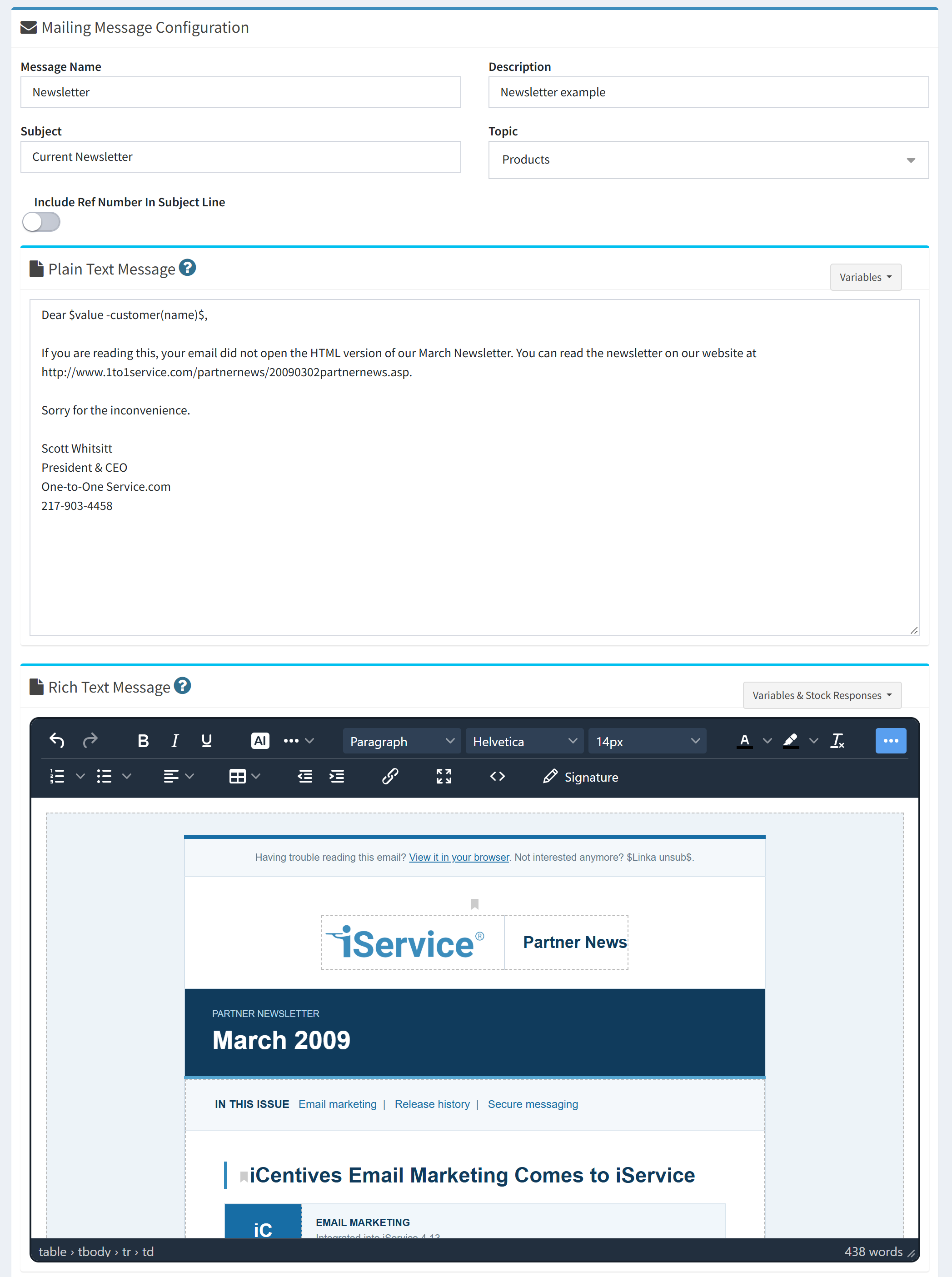
Send renewal notices, onboarding sequences, and periodic updates to the customers your service team already supports.
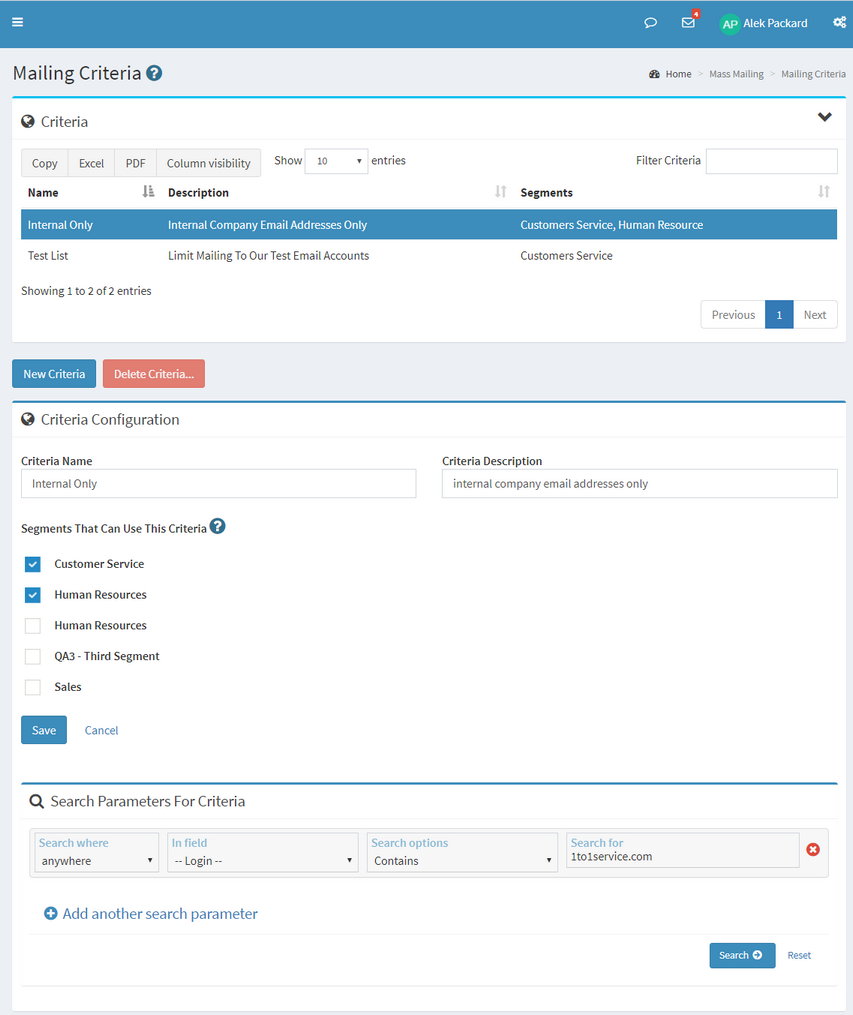
Each customer receives a personalized email addressed only to them, so no one sees another customer’s address. A test goes to a small group chosen by criteria first, so you catch a mistake before the full mailing goes out. Only people you give Send permission can send, and only from the sender mailboxes their segment and user type allow. Integrations and the Batch Utility keep the contact properties you target current.

A new customer fills in the onboarding form on your landing page.
The form saves their answers to custom properties on the contact, adds them to your onboarding mailing list, and enrolls them in the onboarding campaign. The campaign sends the first message and schedules each follow-up, with no list for your team to build. The customer can see their lists and campaigns in the iService portal, and any reply to a follow-up threads into the service conversation.
Every click and view on a mailing is recorded on the customer’s contact, and the matching Salesforce history is updated. When a customer replies, the reply is threaded into their existing service conversation, and your service team answers it there.
Every mailing-list, campaign, and Knowledge Base article subscription is recorded on the customer’s contact. When a customer unsubscribes from a list, later mailings to that list leave them out automatically.
Request a demo to see iService select service contacts by property, send each one a separate email, and record it in the contact’s history.