
A search field matches a partial customer detail and lifts a contact card and its account card out of a column of customer records.

Platform

Search contacts and accounts from customer details

Find contacts and accounts quickly by searching for any contact or account property. Agents can begin an email, note, or ticket from the result row.

Open the right record from a partial value

When you answer customers live, iService searches contacts and accounts from the details they give you.

iService searches partial values across selected fields, so you can open the right record without an exact email address.
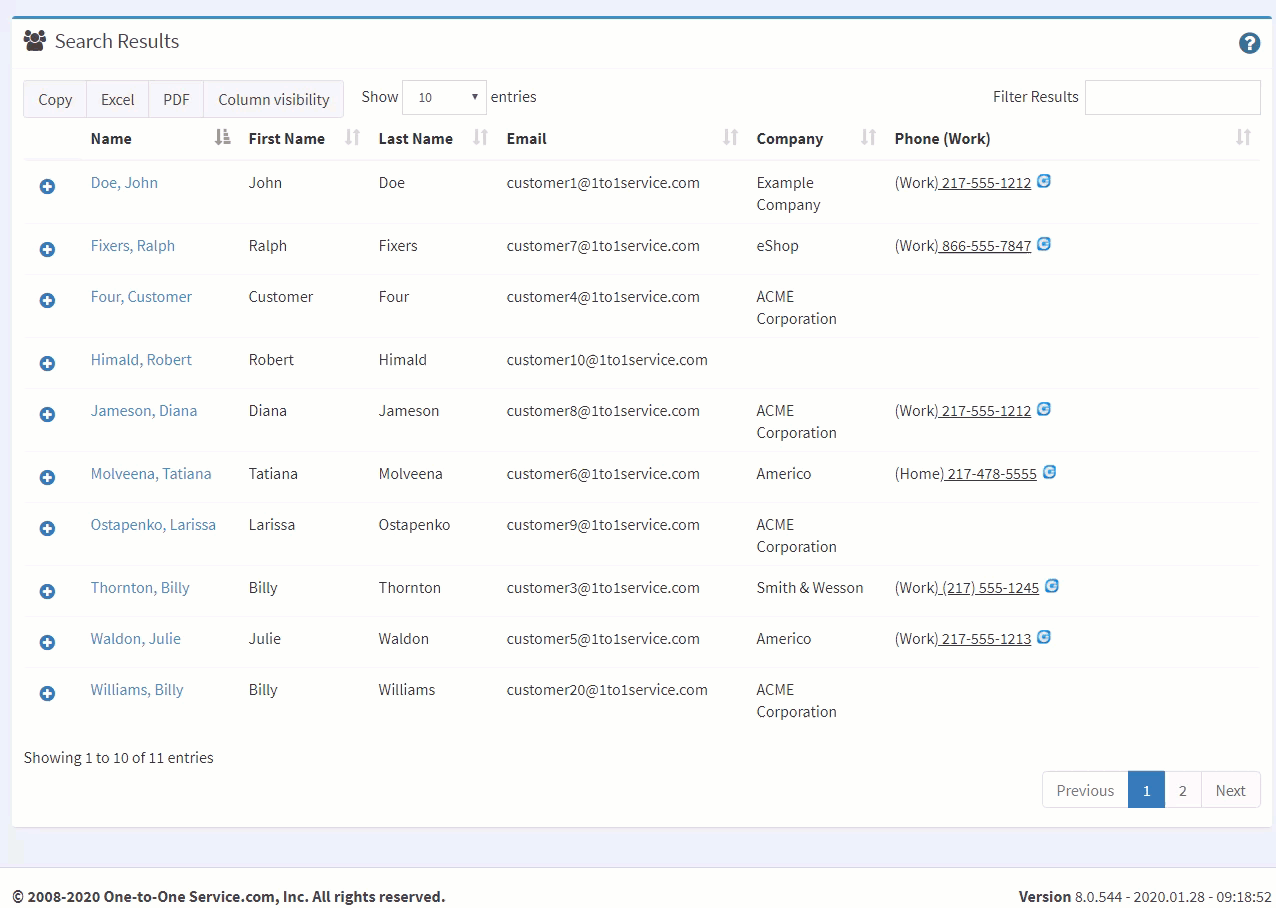
iService contact search results with the actions available on each row

Search every contact property in one query

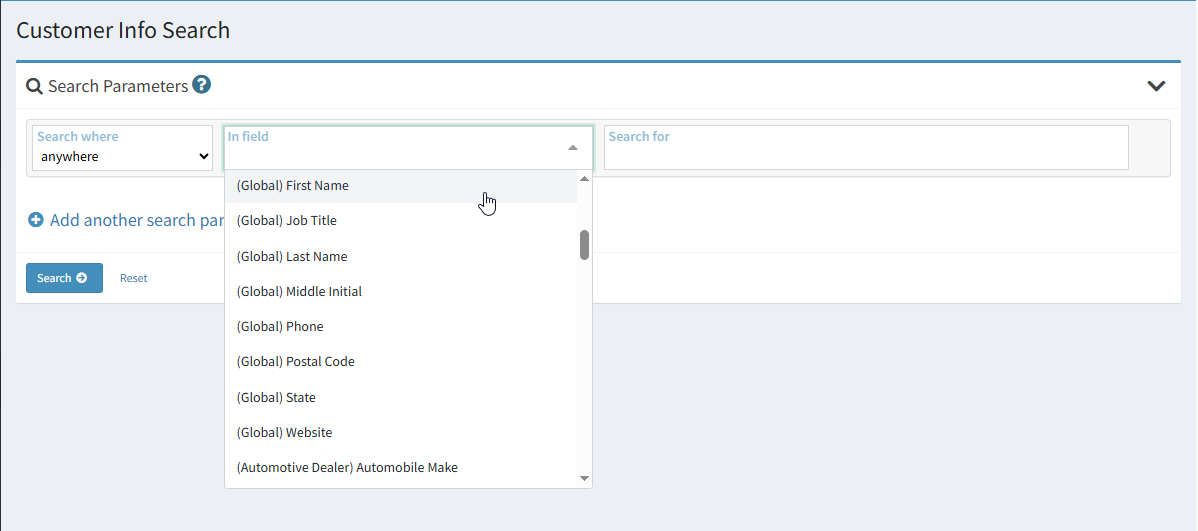
iService makes every tenant contact property searchable and combines multiple fields in one query.

Customer Info Search with the In field list open, showing contact properties such as First Name, Job Title, Phone, and Postal Code.

Start an email, note, or ticket from a search result

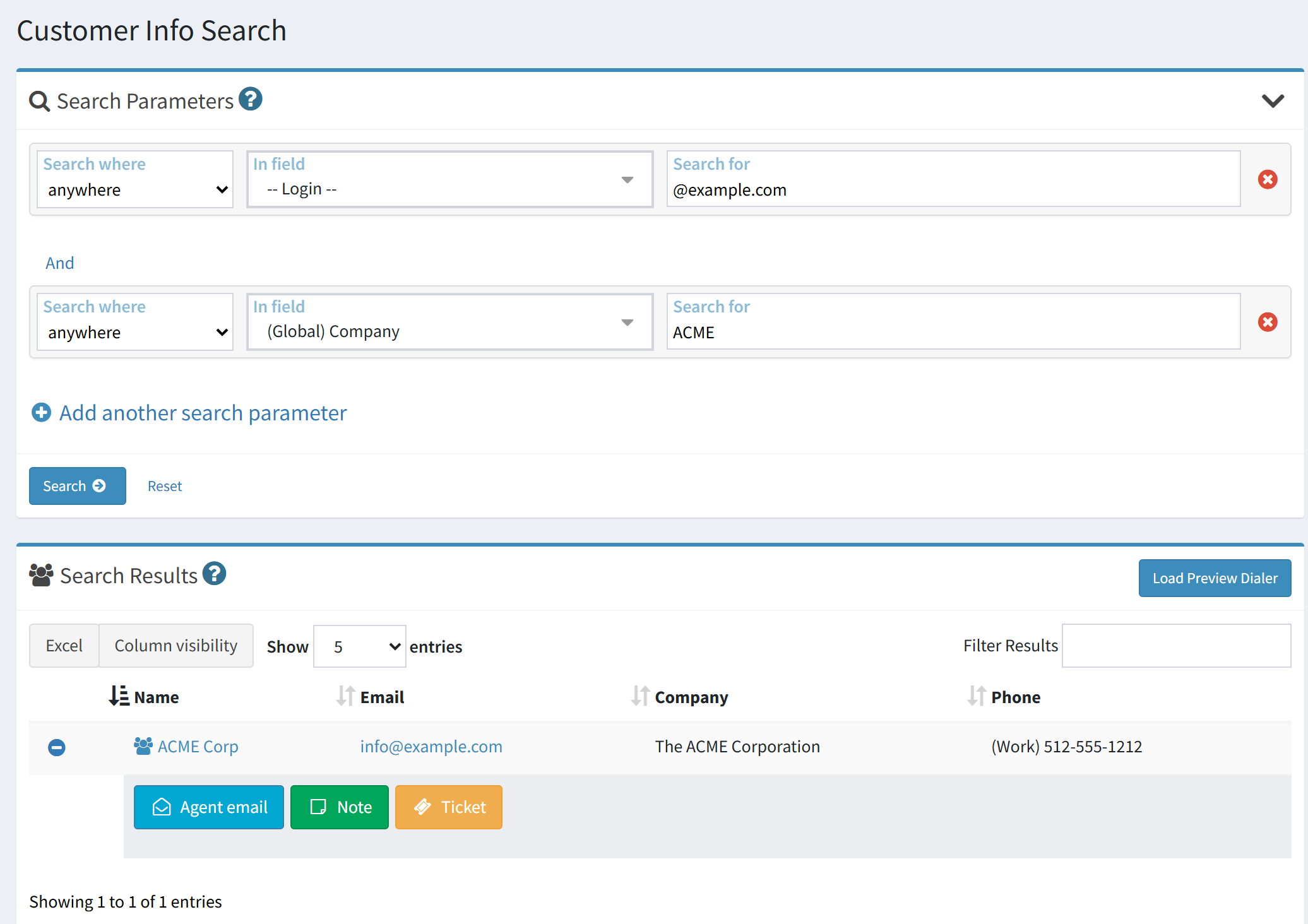
iService lets you expand a search result to start an email, note, or ticket without loading the contact page. A customer asks about a missing order and gives the first part of her email address. You enter that fragment, find her contact in the results, and expand the row. From the row, you open a ticket for the missing order.

Customer Info Search for login @example.com and company ACME, with the ACME Corp result expanded to show Agent email, Note, and Ticket buttons.

Contacts and accounts in one search

Important details can be within contact history, or account notes. iService returns both in a single search and makes the results actionable.

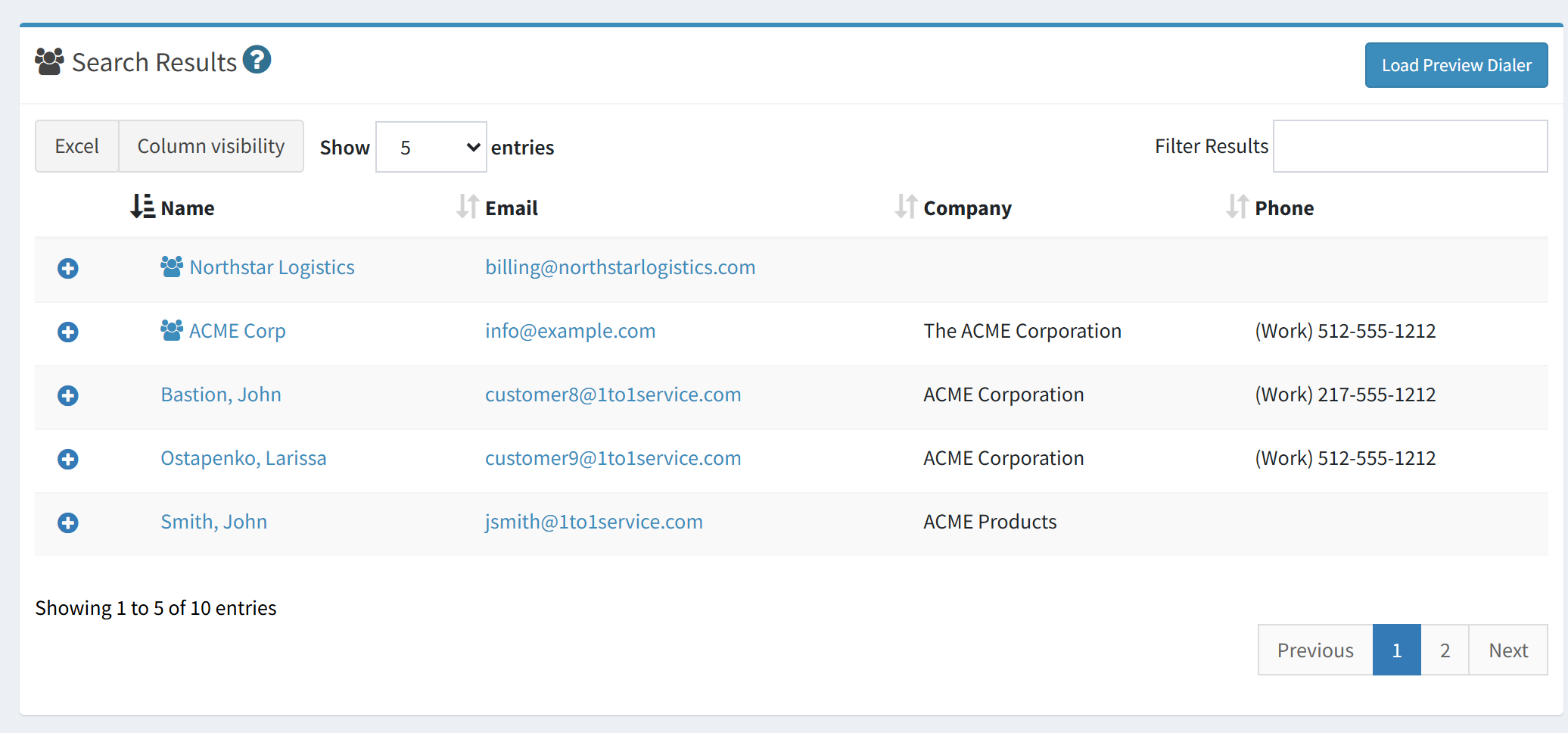
iService search results listing two accounts and three contacts with email, company, and phone columns.

Limit access to contacts and accounts

In some environments, it's important to limit access to certain contact or account details.

iService enforces each agent’s existing Segment Access Rights when it returns contacts and accounts.

Contact and account record cards sit in one lit compartment behind a shield, while the surrounding compartments stay sealed under padlocked glass lids.

iService features on this page

  • Contact and account searchFind a person or company by name, email, phone, or any property value.
  • Contact propertiesDefine the fields your business keeps on a person, and use them in filters, reports, and mailings.
  • Account detailsCompany name, addresses, and the account properties your segment defines.
  • Contact summaryOne page with the contact details, recent interactions, and open items.
  • Account summaryOne page for a company, with its contacts and its recent activity.
  • Agents can start conversationsCompose an email to a contact from the search results, contact summary, or quick agent email form.
  • Public and Private NotesAdd public (customer can view) or private (only agents can view) notes to a conversation so all agents are aware of status.
  • Agents can create ticketsAgents can create questions on behalf of the customer using Agent Tickets that can be directly assigned to agent.
  • Create a contactAdd a contact by hand when the person reaches you outside a form.
  • Send email to account and CC linked contactsSend email from the Account Summary page and copy contacts from the Add Linked Contact list beside CC, which shows the name, title, and email of each contact on the account.

See customer search in iService

Request a demo to watch an agent find a contact from a partial detail and open a ticket from the result row.

Request a Demo

Chat with support