
A customer contact record at the center of a premium layered workspace, connected to blank contact, interaction, subscription, workflow, agent, and communications surfaces.

Platform

One platform for customer interactions

iService is one product with a shared data model for service operations, workflows, search, AI, customer communications, and integrations.

Explore a capability

The right agent. The right time. The right channel.

Customer requests need to reach the right agent before a response is due, regardless of where they arrive.

iService uses Topics, Skills, Departments, and service levels to route each question to the right agent, at the right time, in the right channel.

A work item moving through classify, qualify, and own stages along a routing track

Agent Workspace

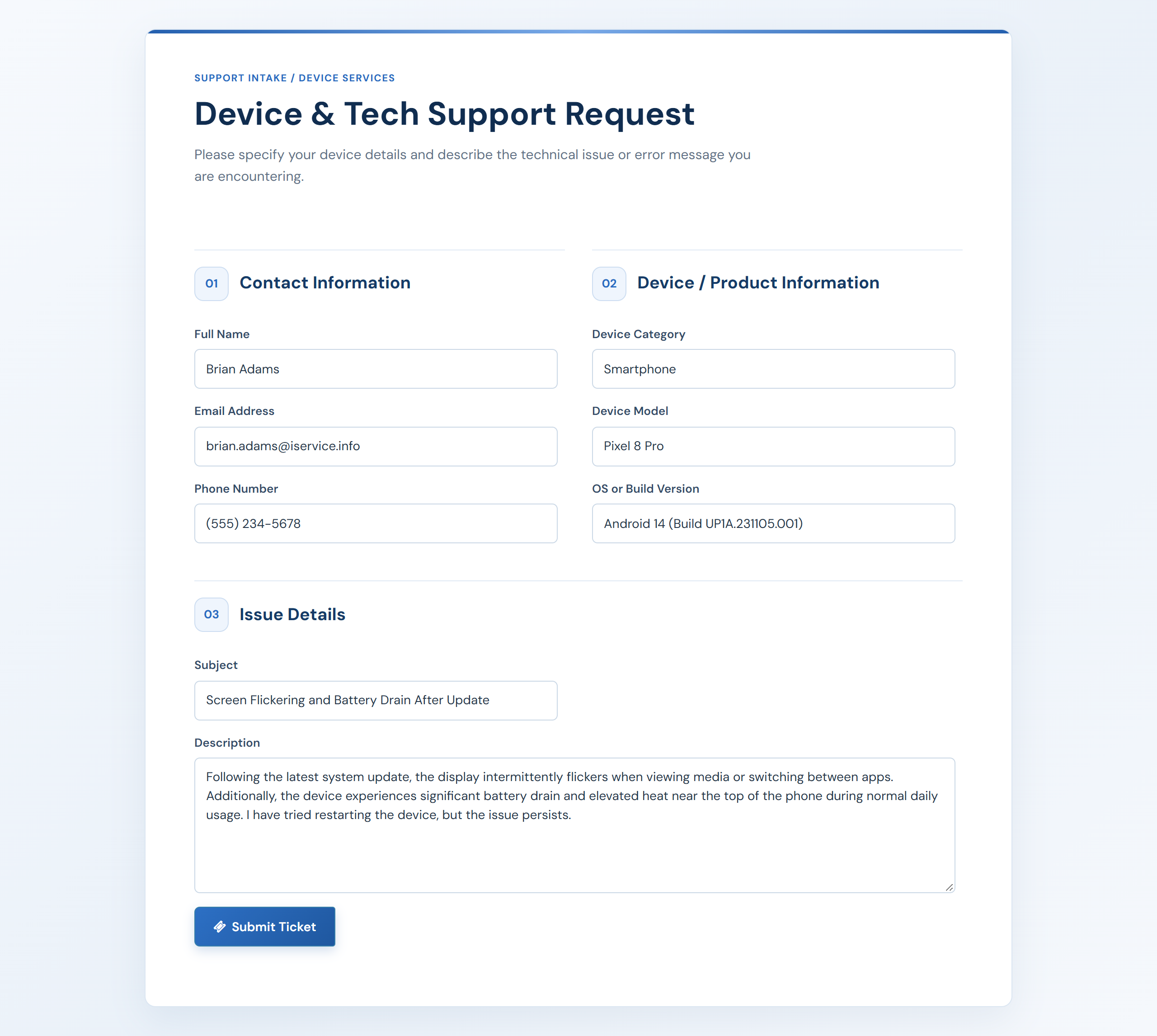
Configure the iService Agent Workspace with Custom Forms and Answer Panels around each request.

Custom Form for a device and tech support request, with contact information, device details, and issue description sections.
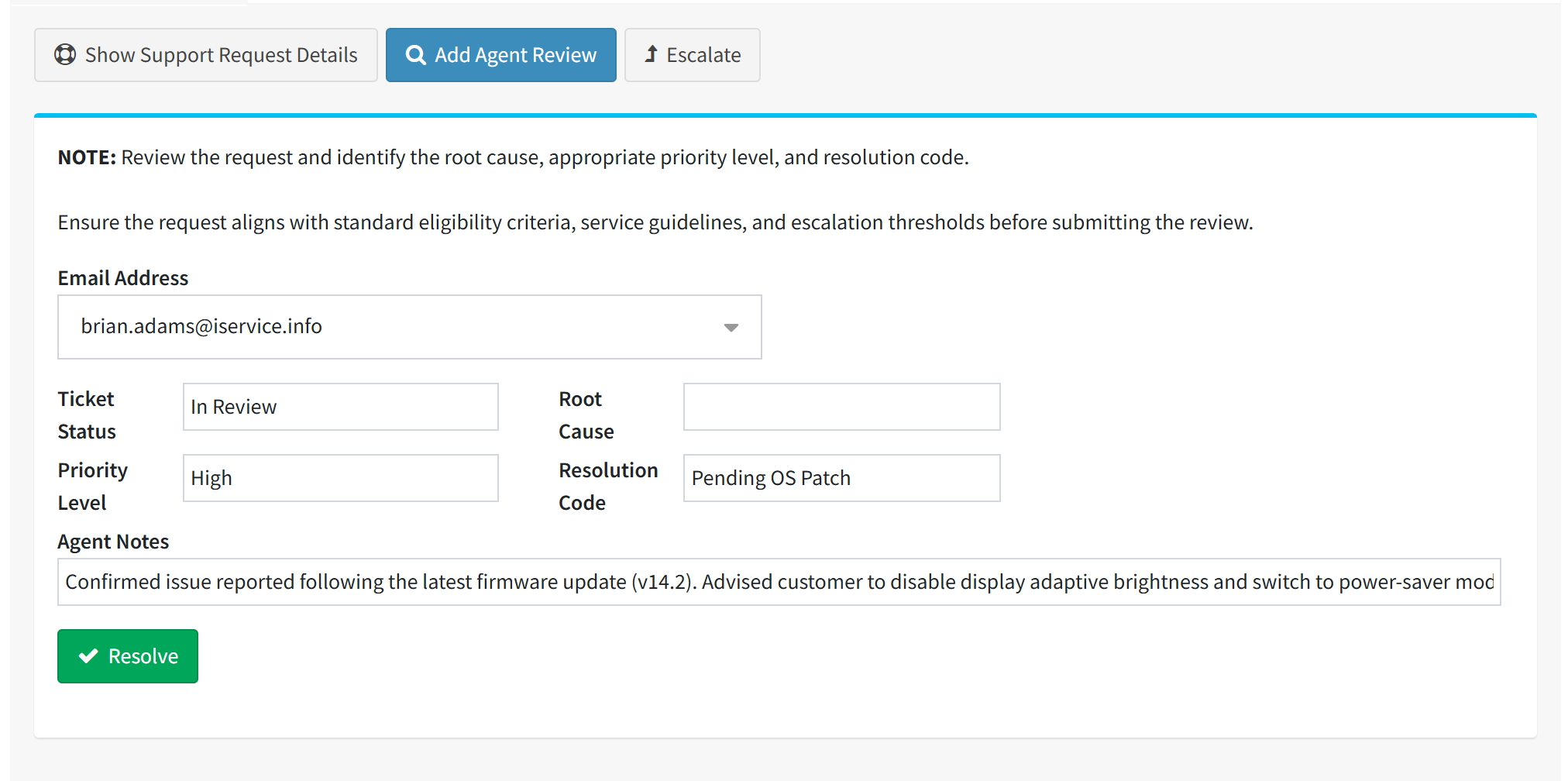
Answer Panel for adding an agent review, with ticket status, priority level, root cause, resolution code, agent notes, and a Resolve button.
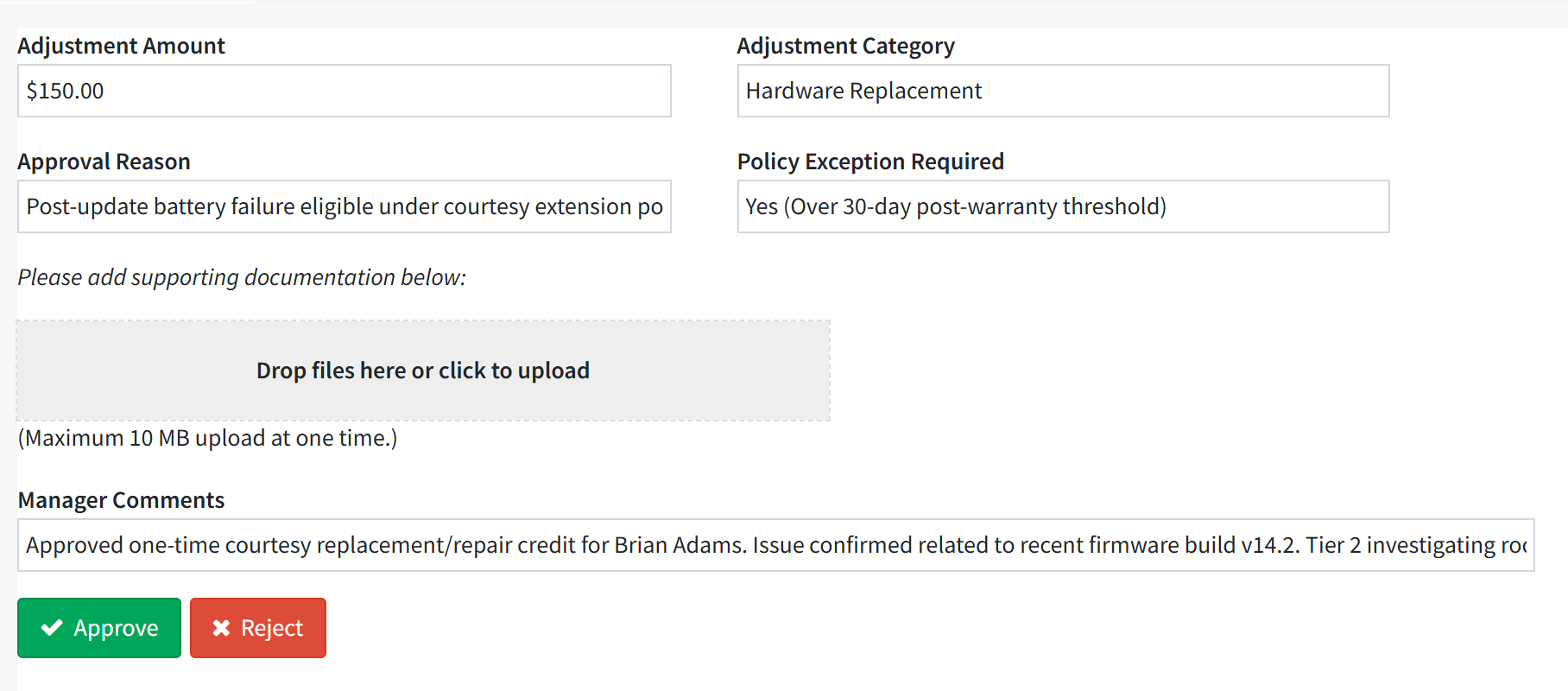
Approval fields for an adjustment amount, category, reason, and policy exception, with manager comments and Approve and Reject buttons.

See workflow automation

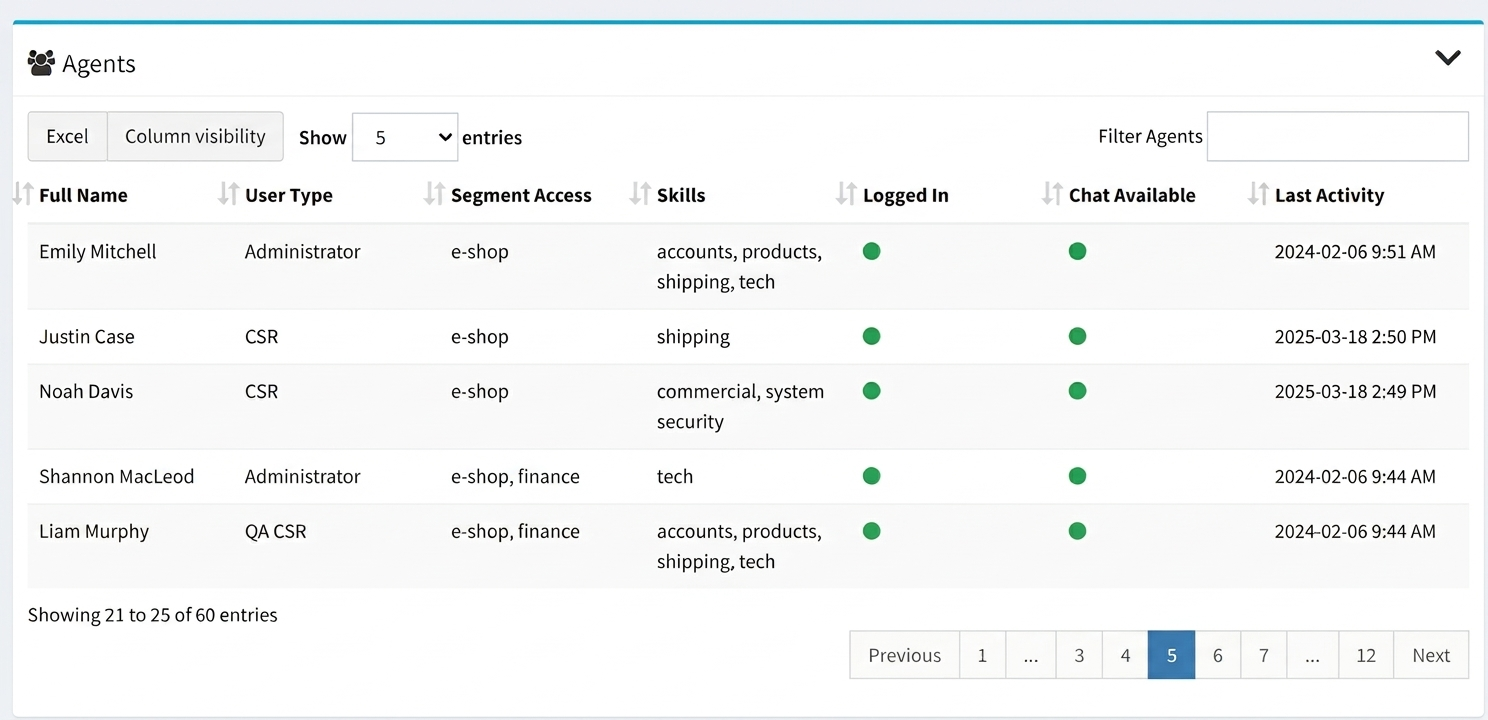
Agents list showing each agent's user type, segment access, skills, login and chat availability, and last activity.

Streamline Every Custom Order in One Connected Case

Manage your entire order workflow from initial request to final booking inside a single, unified case.

Customer requests a quote

The customer enters pickup and delivery details in the Quote request form.

Quote request form in the customer portal for entering order details.

The Quote request form in the customer portal.

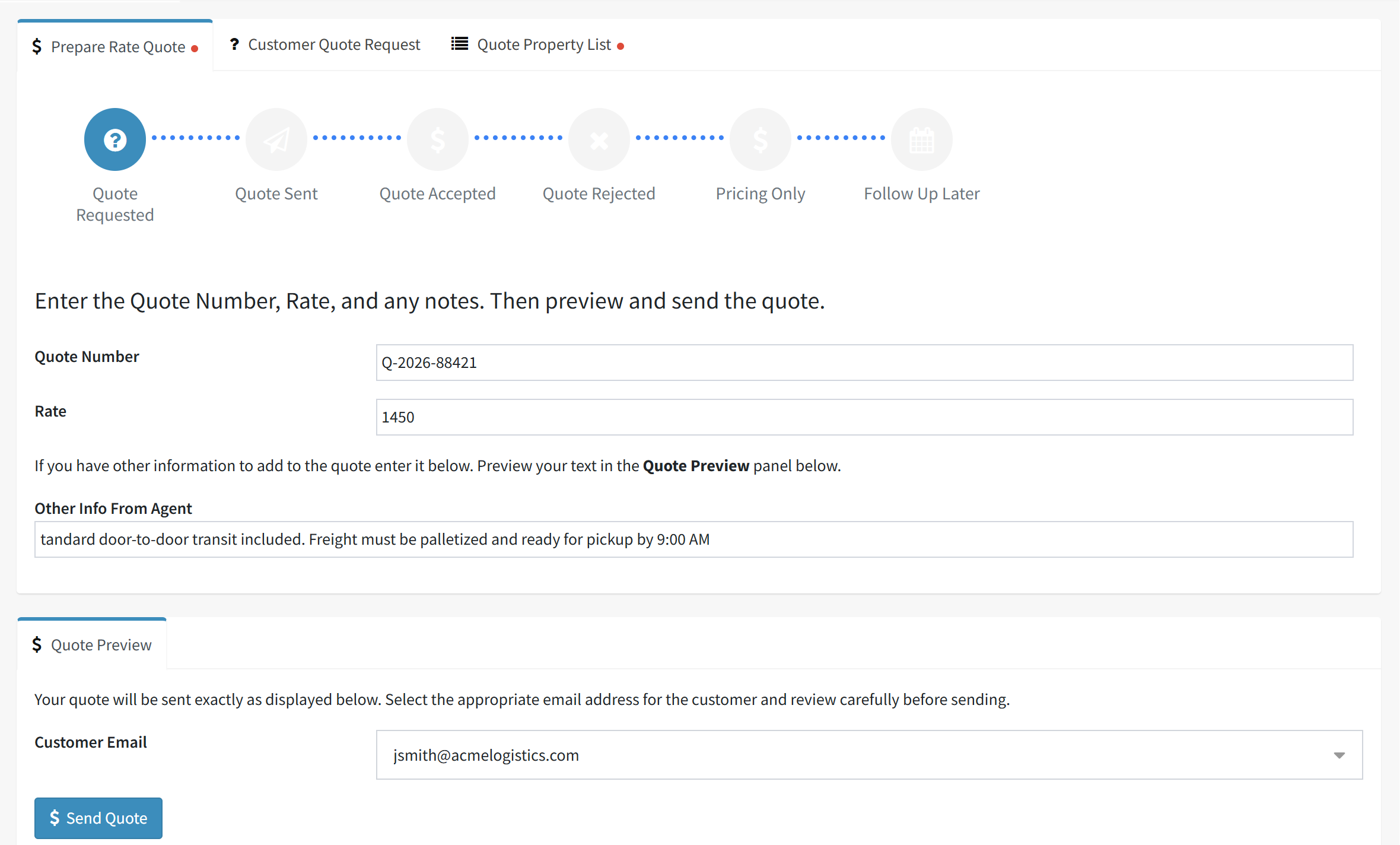
Agent prepares and sends the quote

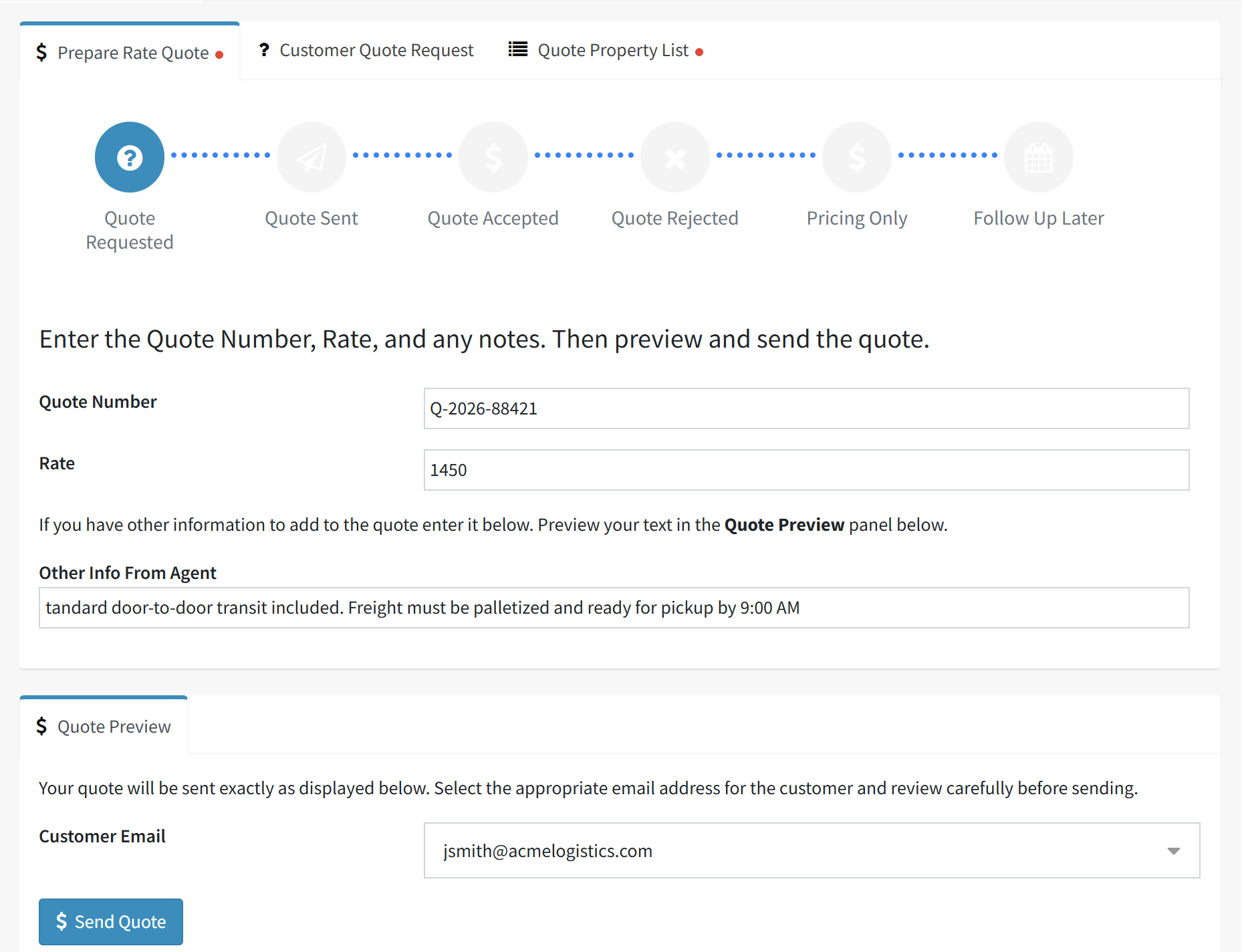
A representative reviews the details and prepares the quote in the Quote Answer Panel.

Quote Answer Panel crop showing the Send Quote action.

The Quote Answer Panel with a prepared quote.

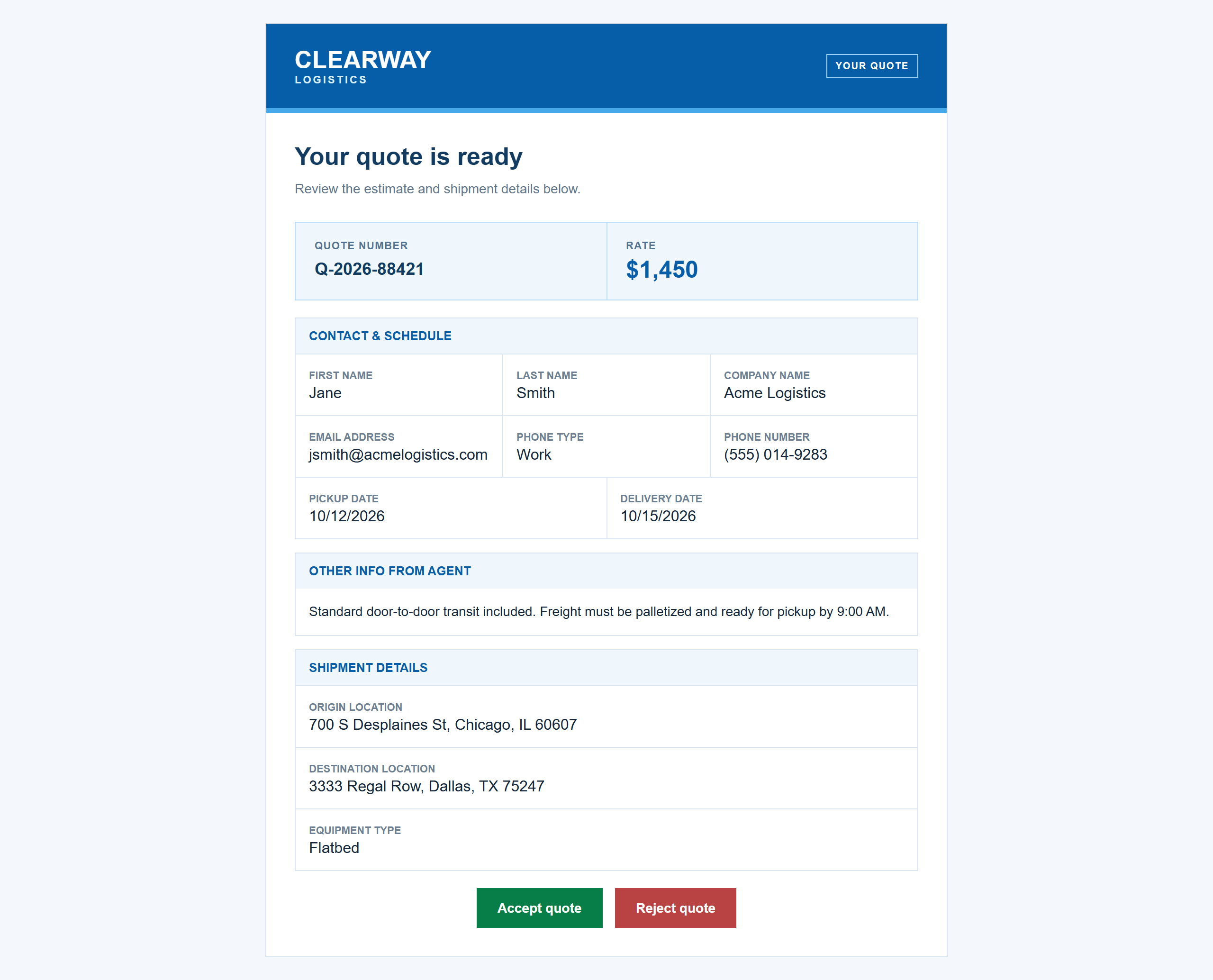
Customer accepts and adds order details

The customer accepts the quote and supplies the remaining order information in the Order acceptance panel.

Customer quote view for accepting the quote and adding order details.

The Order acceptance panel in the customer portal.

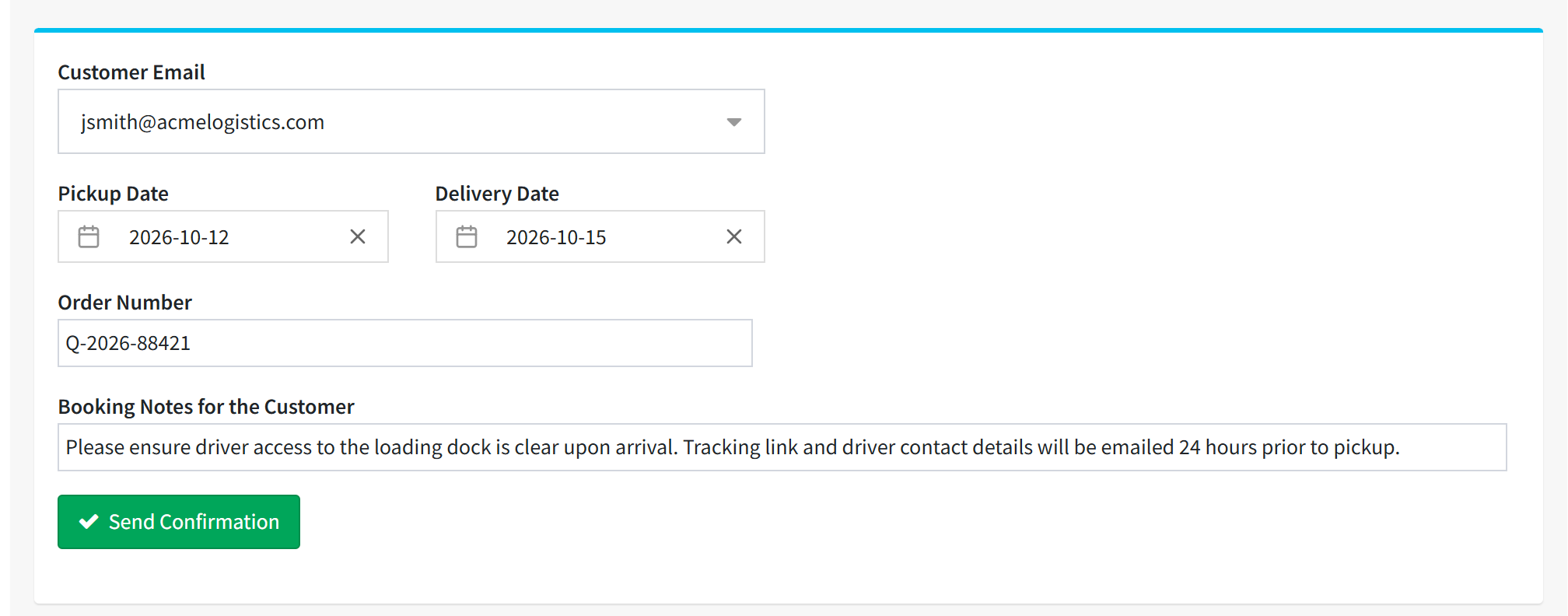
Agent books the order

The representative books the completed order in the Order booked Answer Panel, and the sales pipeline updates.

Booking Answer Panel crop showing the booking action.

The Order booked Answer Panel with the updated sales pipeline.

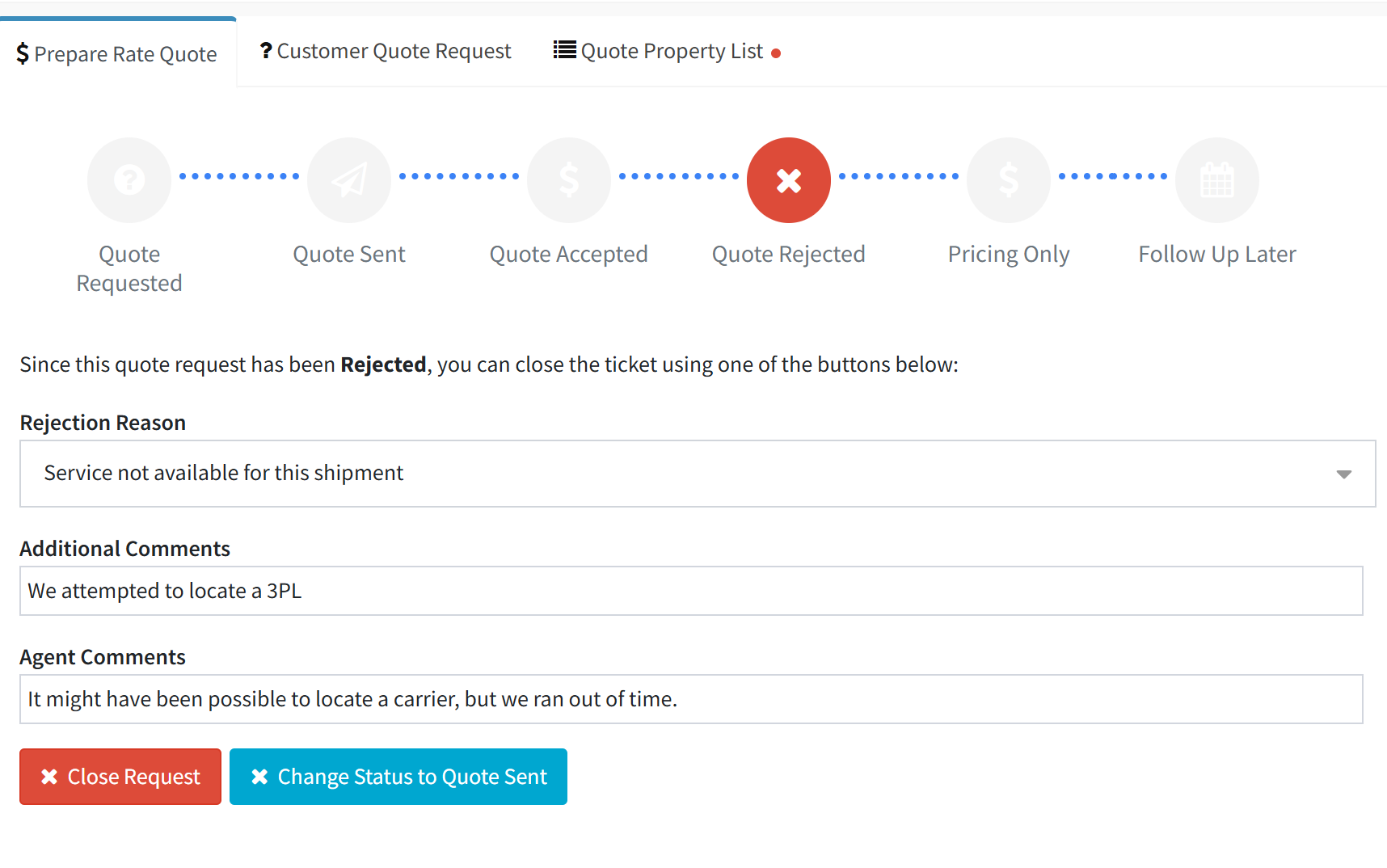
Rejected quotes feed the metrics

iService tracks the quotes customers reject, and the metrics from won and lost quotes refine the process over time.

Quote Answer Panel showing a rejected quote, rejection reason, comments, and close-request actions.

A report of won and lost quotes by reason.

One Platform for Agents and Administrators

iService brings customer operations and system configuration together in a single unified application.

Agents manage interactions, queues, and daily workflows in the same responsive interface that administrators use to configure settings, manage users, and refine processes. You get one consistent interface across all of your use cases.

A glowing customer record at the center of blank workspace panels that agents and administrators both work in.

Flexible Deployment Options Built for Your Architecture

Deploy the platform on your own infrastructure or let our team run it for you as a fully hosted service.

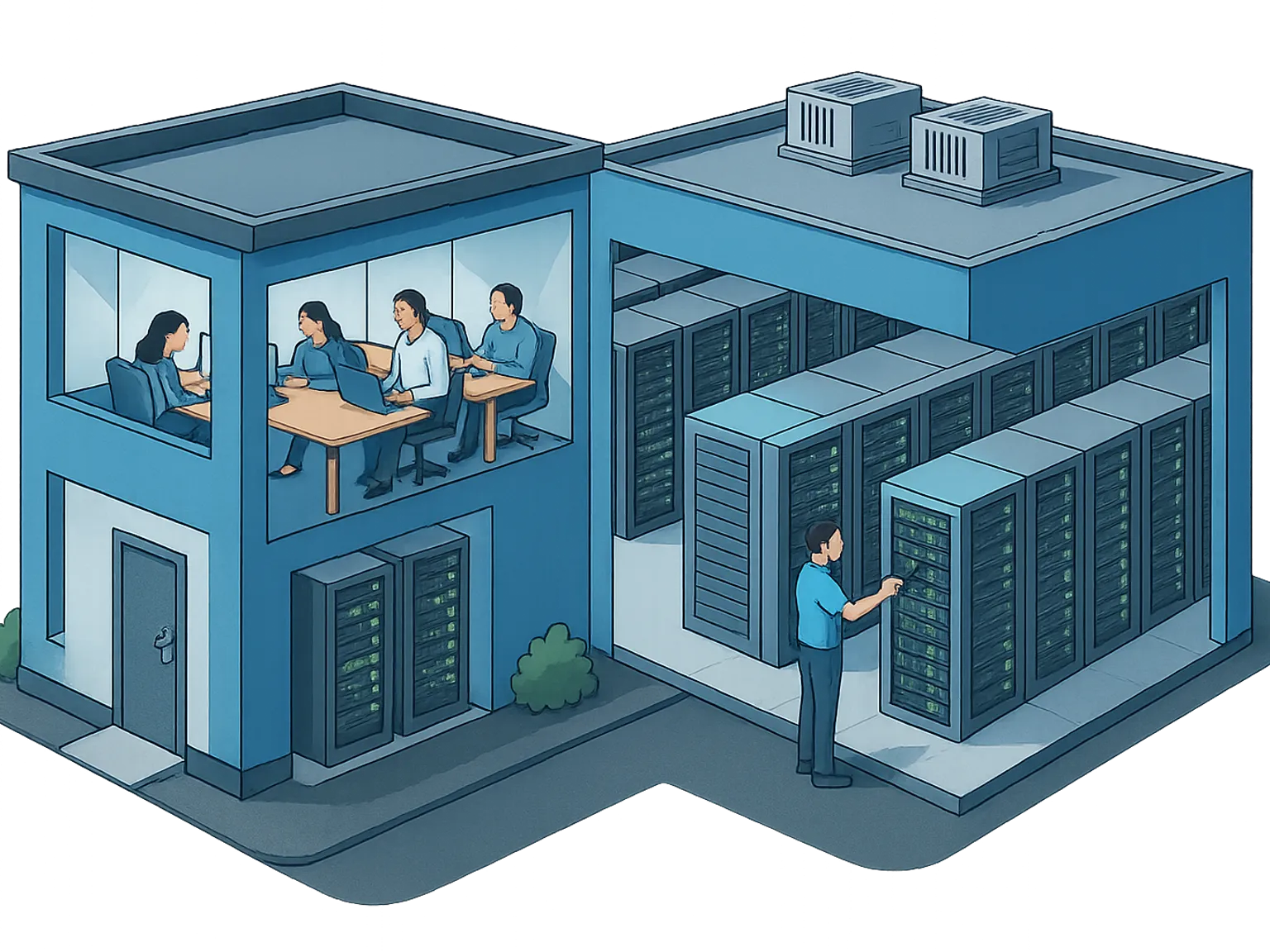
Both options deliver the same responsive interface, workflow engine, and operational reliability, giving you complete freedom to choose the deployment model that best aligns with your security, compliance, and IT requirements.

A company office with its own server room beside a data center where our team runs the servers

Platform capabilities

The iService platform covers service operations, workflow configuration, customer records, knowledge and AI, customer communications, and deployment and integration.

  • Customer records

    Contacts, accounts, and history

    Keep contacts, accounts, interaction history, and the shared properties your team defines with each case.

  • Service operations

    Ticketing, email, routing, and processing

    Route customer requests by topic, skill, department, and service level with the queues and ownership rules your teams use.

  • Workflow and configuration

    Agent Workspace and workflows

    Configure Answer Panels, Custom Forms, properties, rules, approvals, and actions around each request.

  • Knowledge, search, and AI

    Grounded chatbots and agent assistance

    Search interactions, contacts, and properties in natural language, then load results into configured chatbots.

  • Customer communications

    Lists, criteria, mailings, and campaigns

    Use iCentives to build recipient lists and criteria from contact properties, then manage mailings, campaigns, and messages.

  • Deployment and integration

    Integrations and deployment

    Connect iService to the systems your operation uses and run it as hosted or on-premises software.

Explore an iService capability

Explore the iService platform for service operations, workflow configuration, customer records, search and AI, customer communications, and deployment.

Explore a capability

Chat with support