
A filter reads an incoming email, marks it with a color, lifts values out of it, and sends notifications before the email moves on to be routed.

Platform

Sort every email and ticket the moment it arrives

Match incoming email and tickets with iService regular expression filters, then run the actions you configure to classify, extract data, assign, notify, or resolve. Set expressions and action steps in segment settings, and use filter groups to control their order.

Classify bounces, out-of-office replies, and spam

Identify routine messages by their content and choose how iService processes them.

Match bounce notices by their subject or sender and classify them into an undeliverable topic. Use subject patterns to identify out-of-office replies, or contact property values to identify senders marked as spam. Apply Resolve Interaction only when your rule identifies a message that needs neither a response nor agent review.
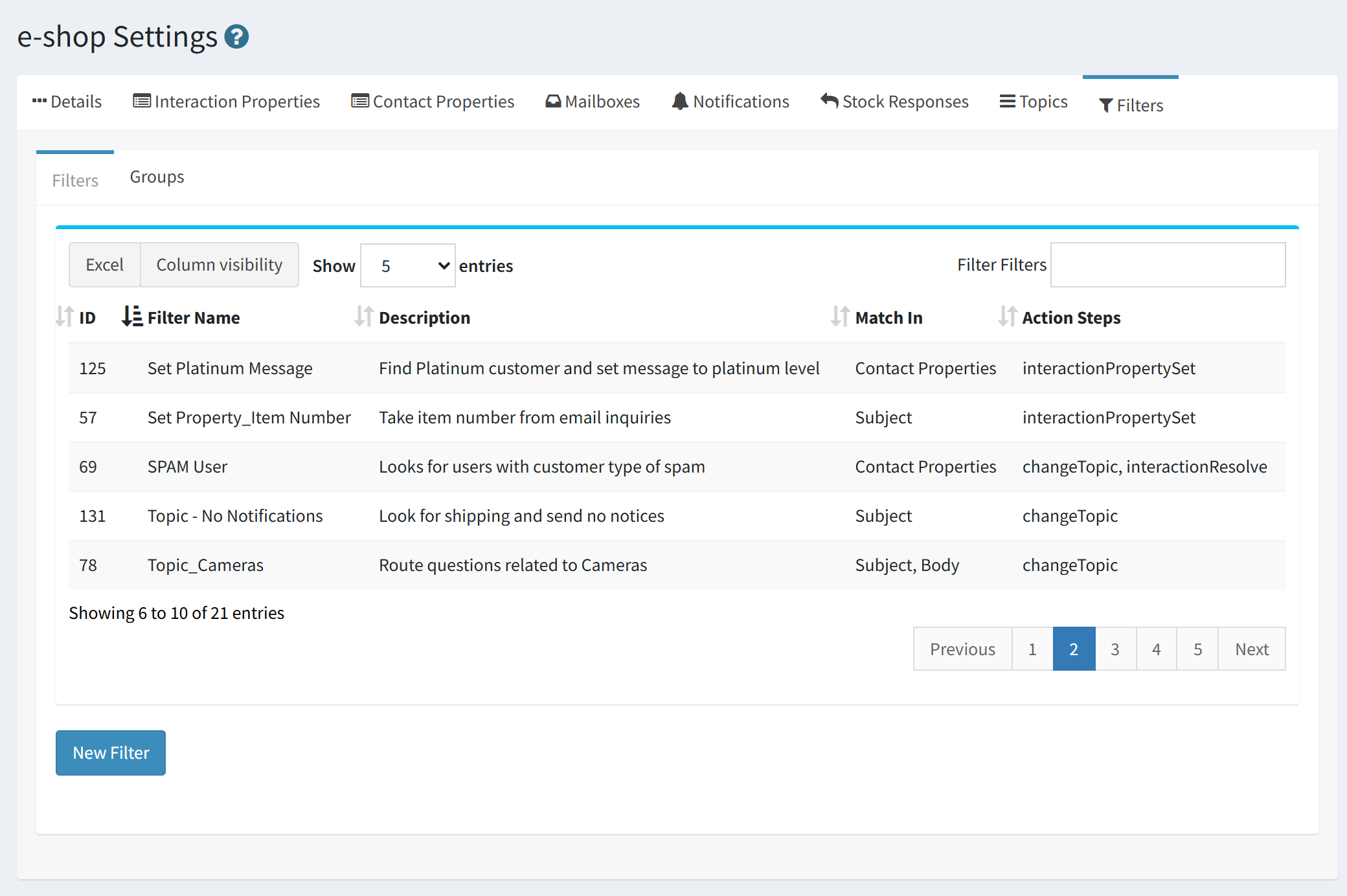
iService e-shop segment Filters list showing a SPAM User filter that matches contact properties and runs changeTopic and interactionResolve

Match email and tickets on any detail, then chain filters

iService runs your filters on incoming email in every mailbox and on the tickets agents and customers submit directly, so one set of rules reads a request whatever path it takes in.

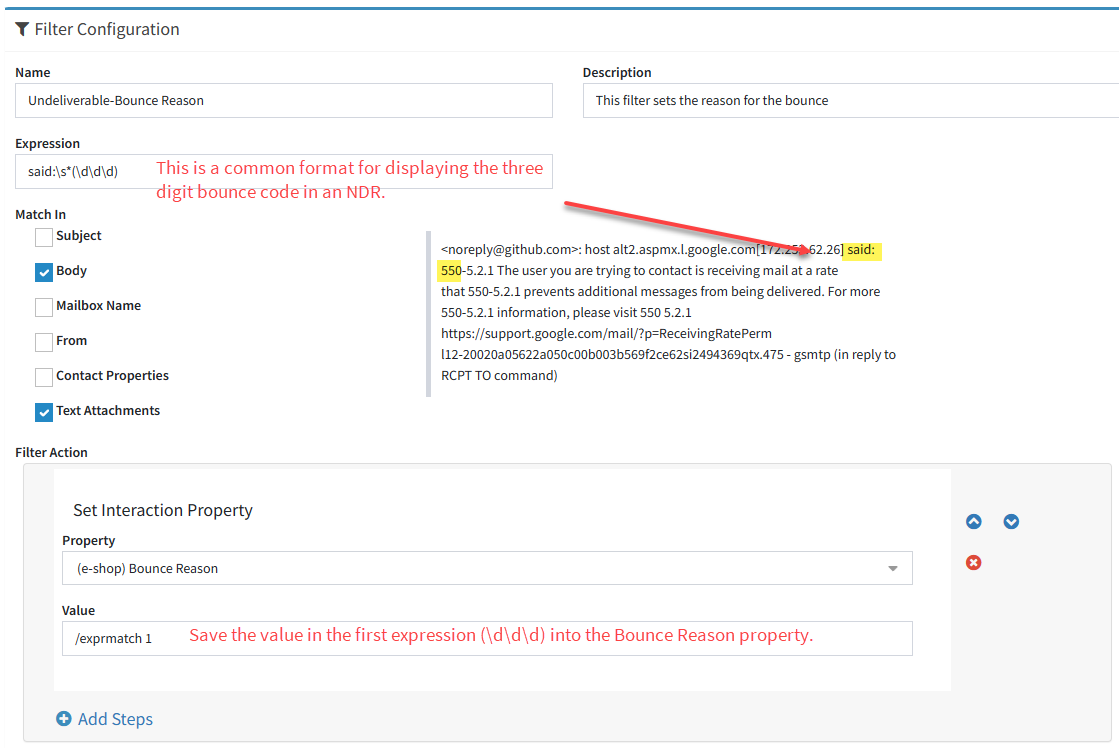
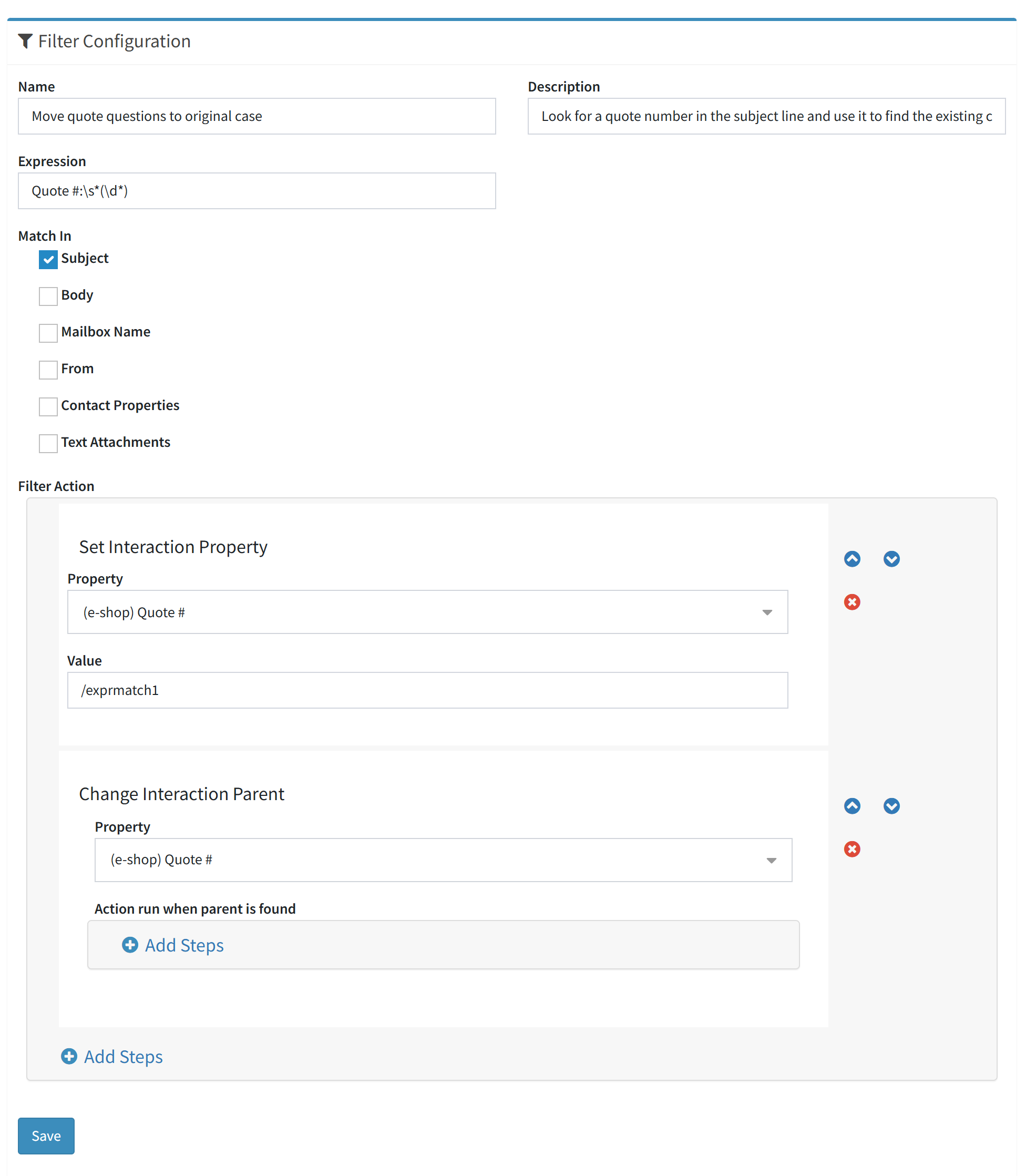
Your expressions read the subject, body, mailbox name, sender, contact properties, or a text attachment, so you match on whatever detail names a request. One filter can hand a match to another, so a second check or extraction runs only after the first succeeds: iService spots a non-delivery notice, then captures the bounce reason behind it.

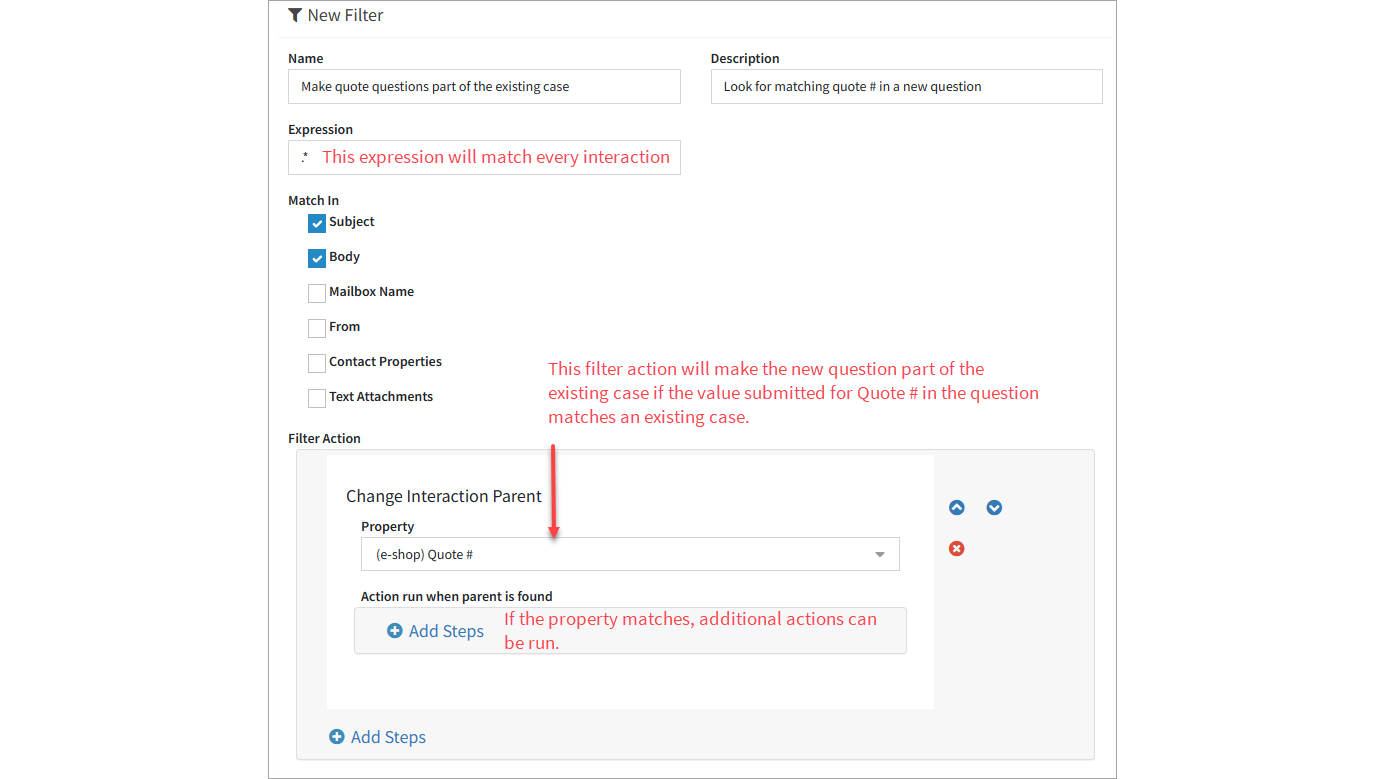
iService Filter Configuration matching the expression Quote #:\\s*(\\d*) in the subject, then setting the Quote # interaction property and changing the interaction parent

Classify, assign, and notify with filter actions

Choose from ten documented action steps and combine multiple steps in one filter to process a matching request. An additional beta Webhook action sends data to another system.

Classify requests and capture their details

Change Topic moves a matching request to your selected topic, including one in another segment. Set Interaction Property writes a fixed value or extracts an account number, quote number, or bounce reason from message content for routing, reporting, or display to agents.

An iService filter action running another filter as part of its rule

Keep related requests in the same case

Assign work with Round Robin Assignment

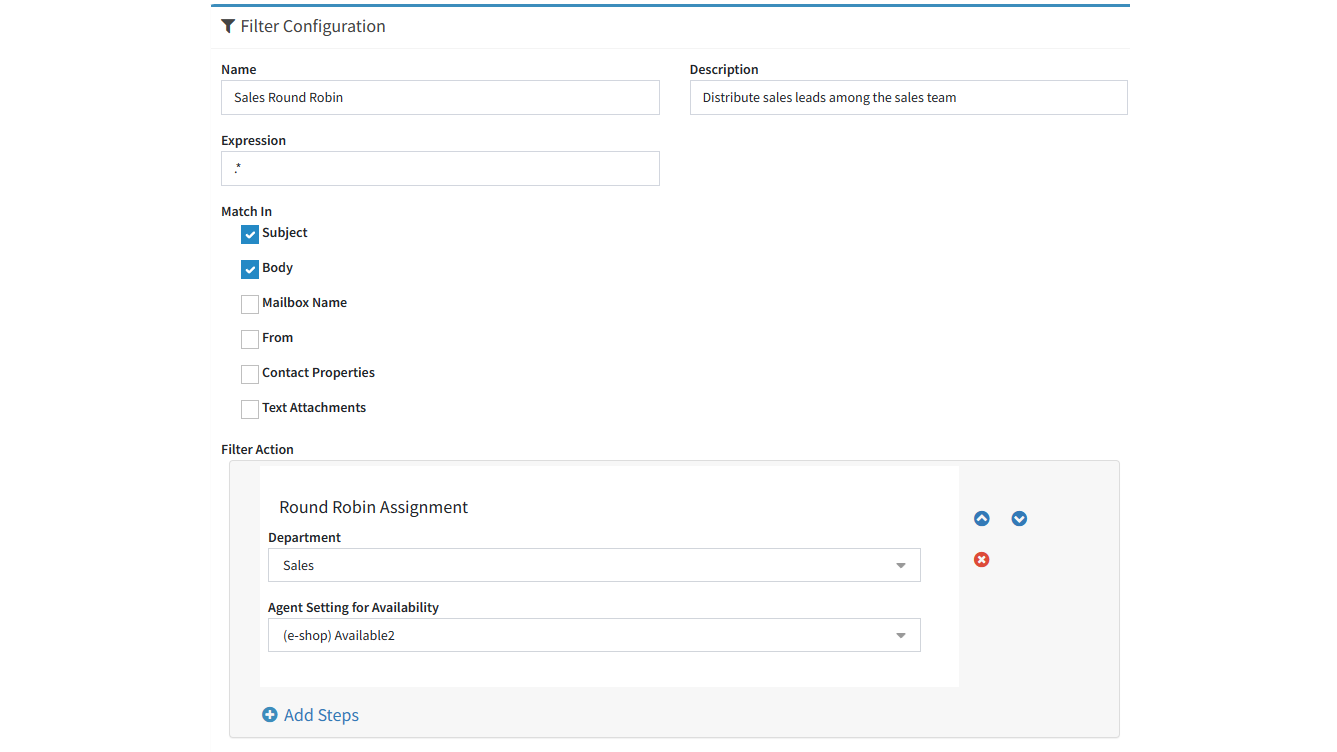
Assign work or notify agents according to your rule. Round Robin Assignment selects the available agent in your chosen department who has waited longest for an assignment. A Boolean agent-availability property determines who participates; this action does not match agent skills.

Round Robin Assignment filter with the department and agent availability property selected

Notify agents and select notification templates

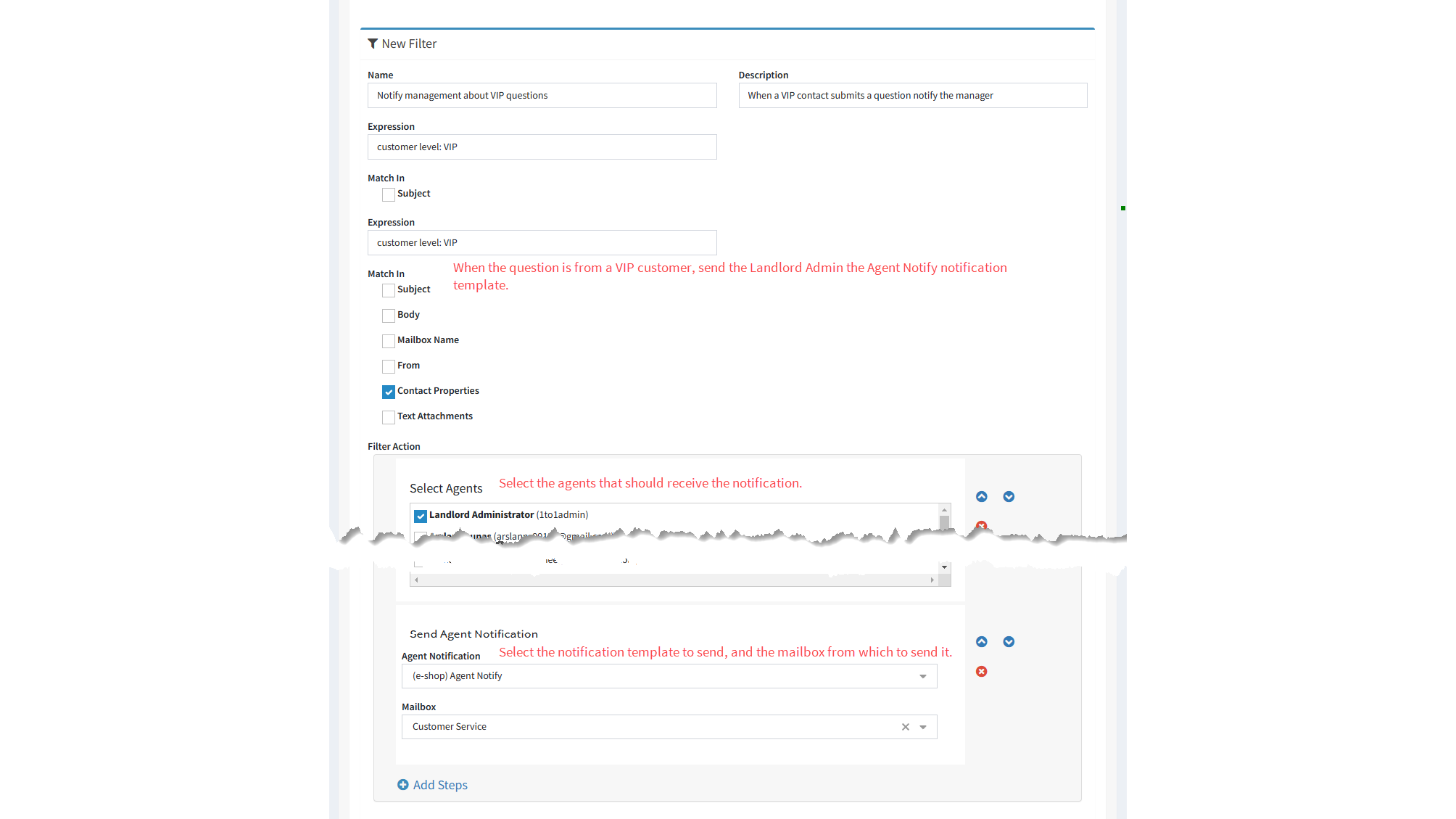
Pair Select Agents with Send Agent Notification to send a chosen template to selected agents without assigning the interaction. Use Select Notification to choose a template, keep the default, or suppress message acknowledgments, agent notifications, and contact-creation notices.

Filter combining Select Agents and Send Agent Notification with a chosen notification template

Allow someone to answer through the external answer page

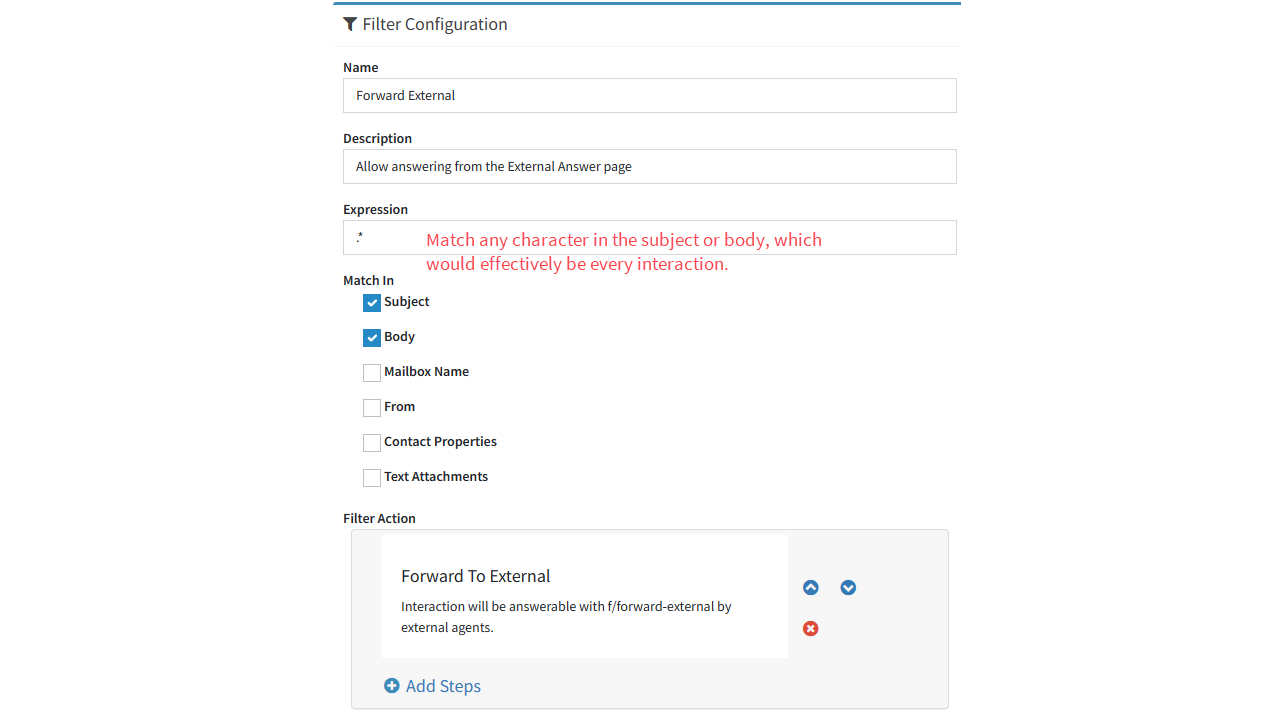
Forward To External creates the interaction GUID that permits an answer without logging into iService; it does not forward an email to an external recipient.

Forward To External filter action enabling external answer access for matching interactions

Send matching interaction data with the beta Webhook action

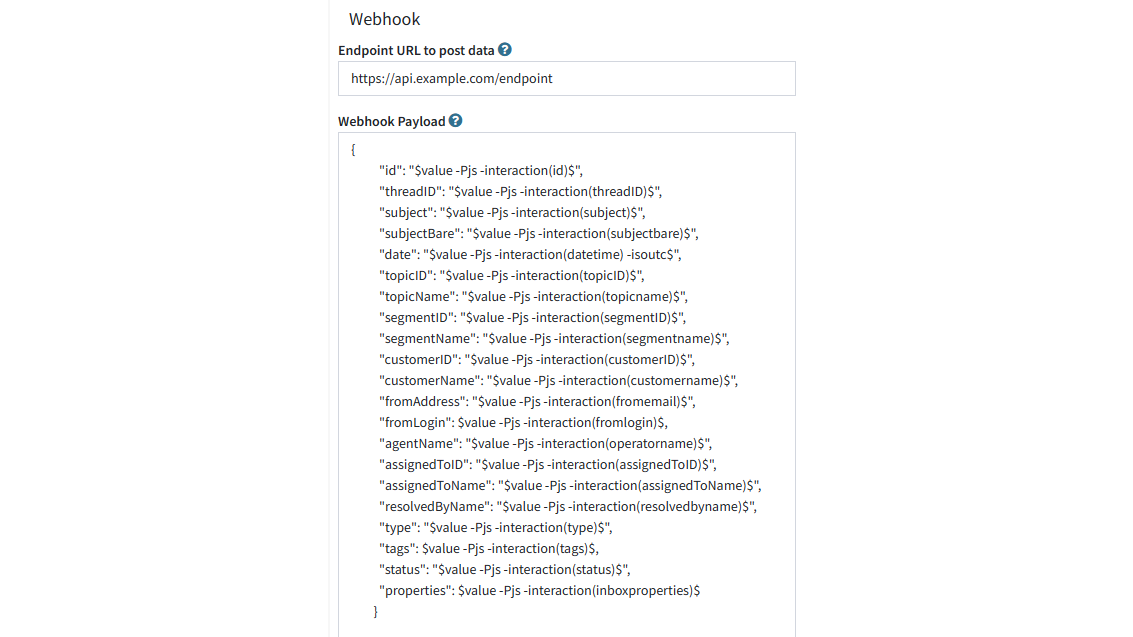
Send matching interaction data to an endpoint with the beta Webhook action. Configure the endpoint URL and JSON payload for an HTTP POST. This beta action does not log failures or retry rejected requests.

Beta Webhook filter action with the endpoint URL and configurable JSON payload

Order regex processing before LLM interpretation

Use regex filters for predictable matching, extraction, and preprocessing before an LLM agent handles requests that need interpretation or more challenging work.

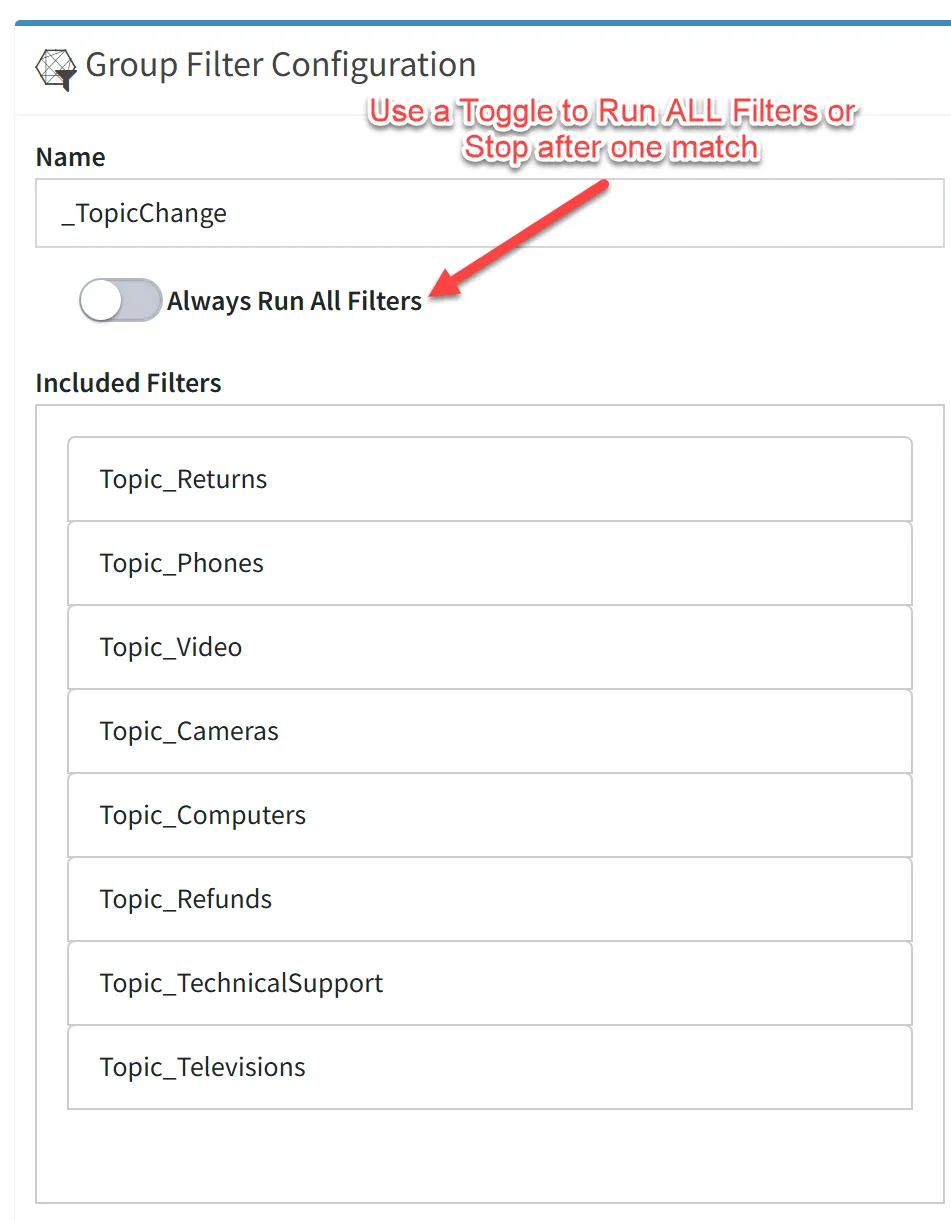
Arrange filters in the order you want iService to evaluate them. Stop after the first match when one classification should apply, or select Always Run All Filters when several rules should set properties or take other actions on the same interaction.

iService Group Filter Configuration for the _TopicChange group, with the Always Run All Filters toggle and eight topic filters listed in evaluation order

Administrator-managed filter testing

Test a revised filter with an existing interaction in its segment.

Forward an existing interaction back to its current segment to run it through your revised filter. Review the results of the actions you configured, such as the selected topic or an extracted property value. Use an existing message to check the rule instead of waiting for new mail.

iService features on this page

  • Regular expression matchingUse full regular expression matching to identify filter patterns.
  • Matches based on multiple elementsIdentify questions by content within subject, body, to, from, contact properties, or text attachments.
  • Filter actions availableChange topic, save value to interaction property, make question part of existing case, assign to agent via round robin, send notification template, resolve the interaction, run a webhook, call other filters (more actions can be made available).
  • Group filtersPlace filters into groups with the option to stop evaluation with the first match, or process all filters in a group. Groups can be embedded into other groups.
  • Make question part of existing caseWhen a question has a property value that matches an existing case (e.g., order number), make the new question part of that existing case even though there is no reference number in the question. This will then make the case operator the operator for the new question.
  • Forward to segmentForward a question to another segment, and select a new mailbox. The filters associated with the mailbox are then processed.
  • Run filter action on old questionWhen a question hits an age threshold, run a filter to take actions (like round robin assignment or any other filter action).
  • WebhooksA Webhook action in filters and forms passes interaction details to other systems.
  • Filter administrationWrite the rules that discard, route, or flag a message before it reaches a queue.

See iService filters and processing rules

Request a demo to see iService filters match incoming email and tickets, extract values into interaction properties, and apply configured processing actions. Review how you would group and order rules for your own requests.

Request a Demo

Chat with support