
An illustrated customer interaction record extending through earlier exchanges.

Platform

Full history on every handoff

With iService, every message, form, note, and approval stays in one conversation thread. Take over a conversation and you see the account history, earlier replies, and agent notes before you answer. Your customer never has to repeat the story.

Your customer tells the story once

Each time a customer repeats their details to a new agent, the conversation restarts and the customer waits.

iService uses a conversational approach to customer interactions that gives agents a complete view of the history for every discussion. Your agents continue the conversation from what is already on record, and your customer explains the problem once.
Built for teams that share conversations

Your agents and supervisors regularly pick up conversations someone else started.

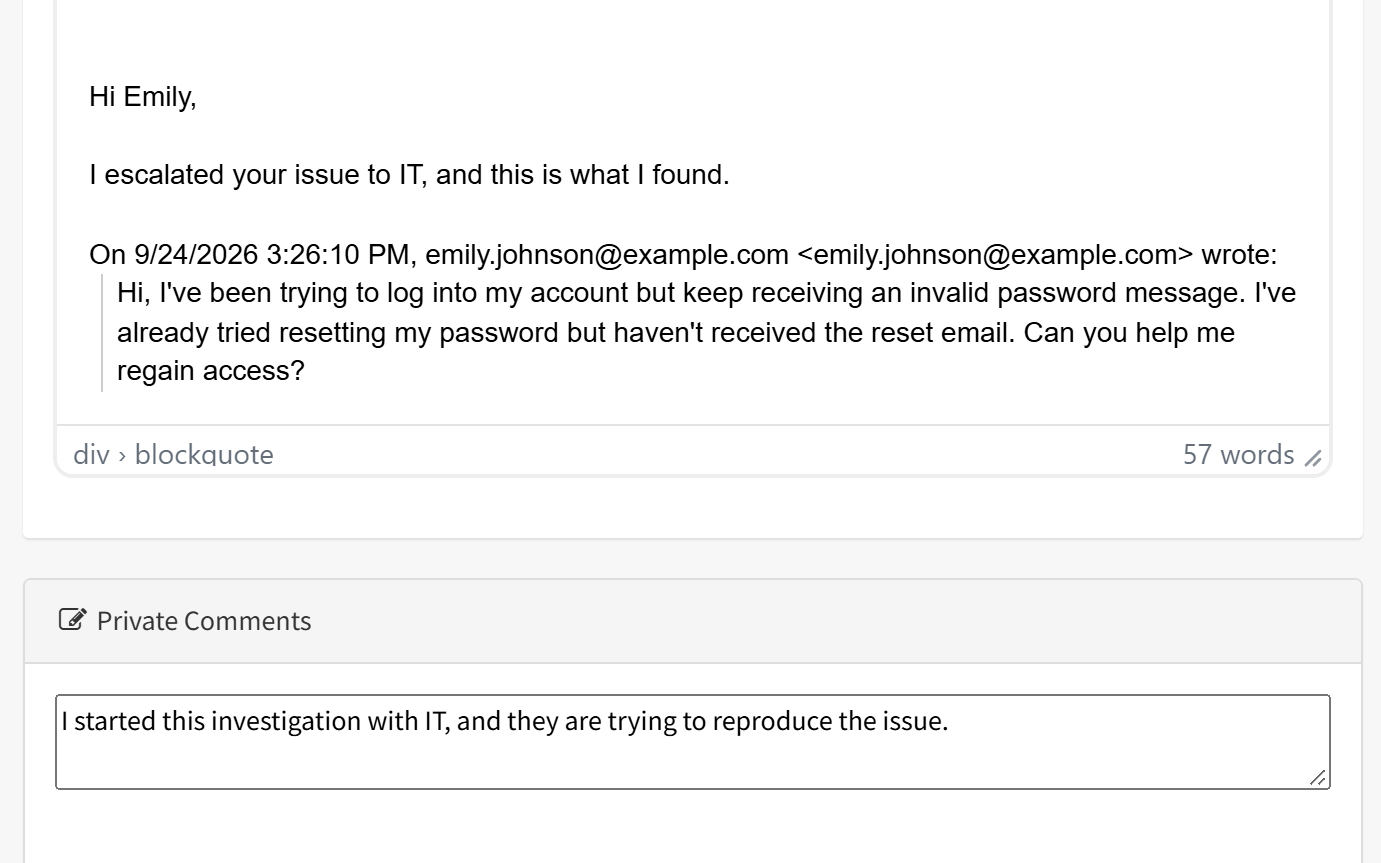
That happens at shift changes, when a supervisor steps in, and when a specialist takes a follow-up. Whoever picks up the conversation starts with the full conversation history. The initial agent can leave notes inside their response to help guide the next agent that takes over the case. In complex customer workflows, shift hand-offs are critical to ensure operations stay on track.

An agent reply to a customer in iService, with a private comment for the next agent below the message

See the customer's history while you write

When agents can't see the full customer history, they waste time searching for prior emails. Or worse, they send an incomplete response that frustrates your customer.

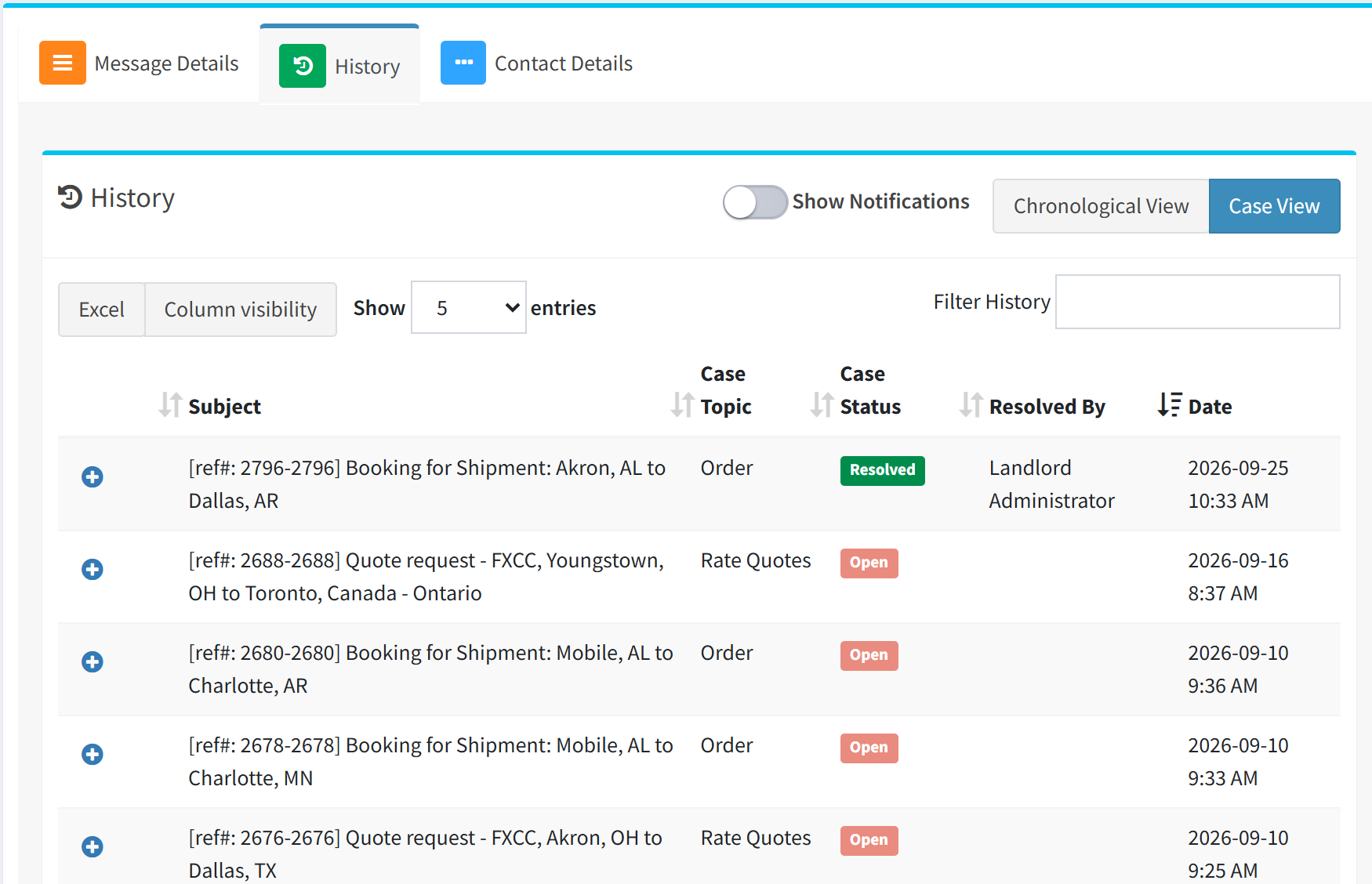
Write your reply with the account details and previous answers already on screen. The message you're answering is paired with the full customer history and all of their contact details. Agents can view any combination of interaction history filtered by interaction type, date range, or custom property.

Explore Interaction Search

iService My Message Inbox showing a customer message beside the interaction history panel.

Customer history is critical for shift handoffs

Freight-in-transit doesn't stop because a service agent is done for the day. The next shift needs to keep the conversations on track to avoid service failures. Consider a temperature controlled shipment that covers multiple work shifts and experiences an equipment issue.

Agents entering a new shift are confronted with questions for things that happened in a prior shift, incoming temperature alerts from the Reefer, and requests for updates from customers. iService filters your alerts into existing conversation started by the first shift. Agent escalation tickets, private notes, and response to the customer are all neatly arranged in a full case view. For long running conversations, iService AI prompts can quickly give the new agent a summary and layout the next steps.

One long horizontal thread of past exchanges with three people standing at separate points along it and one older exchange lit and lifted clear

Works alongside Salesforce

Keep Salesforce as the system of record, and enrich it with conversation data.

Your Salesforce data is missing important details that support and operations teams uncover every day. Every update to customer information and details of conversations can be synced directly to your Salesforce tenant. Your support team gets the messages, forms, notes, and automated approvals it needs to carry the conversation forward. And your organization gets a complete view of your customers and prospects.

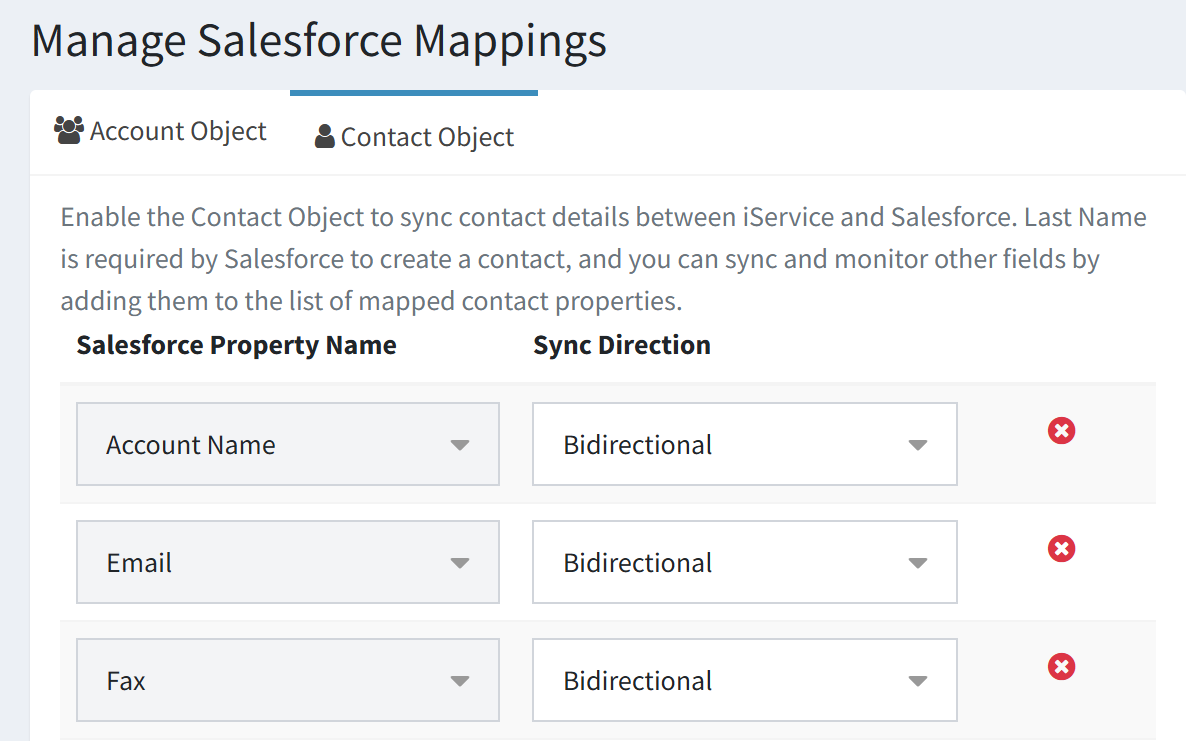
Manage Salesforce Mappings with contact fields set to bidirectional sync between iService and Salesforce

iService features on this page

  • Search interactions using a query interfaceSearch interactions with up to 10 search parameters and limit by date ranges.
  • Unified message historyInteraction history includes all interaction types, including chat, notes, secure messages, mass mailings, etc.
  • Contact summaryOne page with the contact details, recent interactions, and open items.
  • Contact detailsNames, addresses, logins, and every contact property your segment defines.
  • Contact historyEvery interaction with this contact across email, chat, tickets, and mailings.
  • Customer info panelThe contact record beside the answer, so an agent reads history without leaving the reply.
  • Account summaryOne page for a company, with its contacts and its recent activity.
  • Account historyEvery interaction with anyone at the company, in one list.
  • Linked accountsLink a parent company to its subsidiaries and report across the group.
  • Contact and account searchFind a person or company by name, email, phone, or any property value.
  • Full semantic interaction searchTurn on semantic relevance in interaction search and iService orders the results by how closely each one matches the meaning of your search, with a relevance score from -1.0 to 1.0.
  • Chat with interaction search resultsClick Ask iService to send the most relevant search results to an AI chatbot, then ask questions about them in plain language or request the answer as a table.
  • Send email to account and CC linked contactsSend email from the Account Summary page and copy contacts from the Add Linked Contact list beside CC, which shows the name, title, and email of each contact on the account.

See how your team picks up any conversation

Request a demo and watch an agent open a conversation with the contact, earlier replies, agent notes, forms, and approvals already in view.

Request a Demo

Chat with support