Communication channel

Chatbots that can hand off to an agent

iService® answers chats with a chatbot you configure. When a customer asks for a person, iService hands the live conversation to a qualified agent, and both parts stay in contact history.

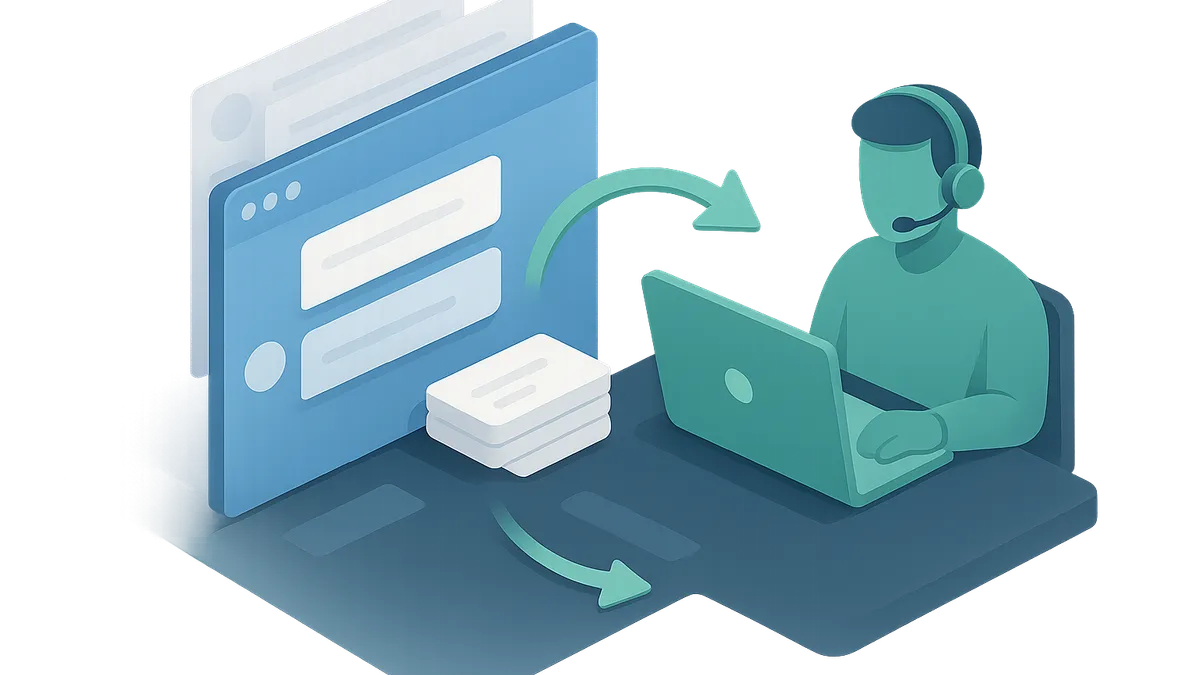
A browser chat conversation and its history passing along a route to a staffed agent workspace

A handoff that keeps the conversation

Your chatbot answers routine questions automatically, so your agents spend their time on the requests that need a person. When a customer asks for one, a qualified agent takes over the same conversation and sees everything the customer already told the chatbot, so the customer never starts over.

Chatbot answers drawn from your instructions and files

Your iService chatbot answers each chat from the instructions you write and any file store you attach, using the persona, model, and opening text you choose.

Customers start in a browser chat form, with nothing to install. The form asks the pre-chat questions you set, so the chat starts with the details you need, and it shows answers from your Knowledge Base that customers can read on their own.

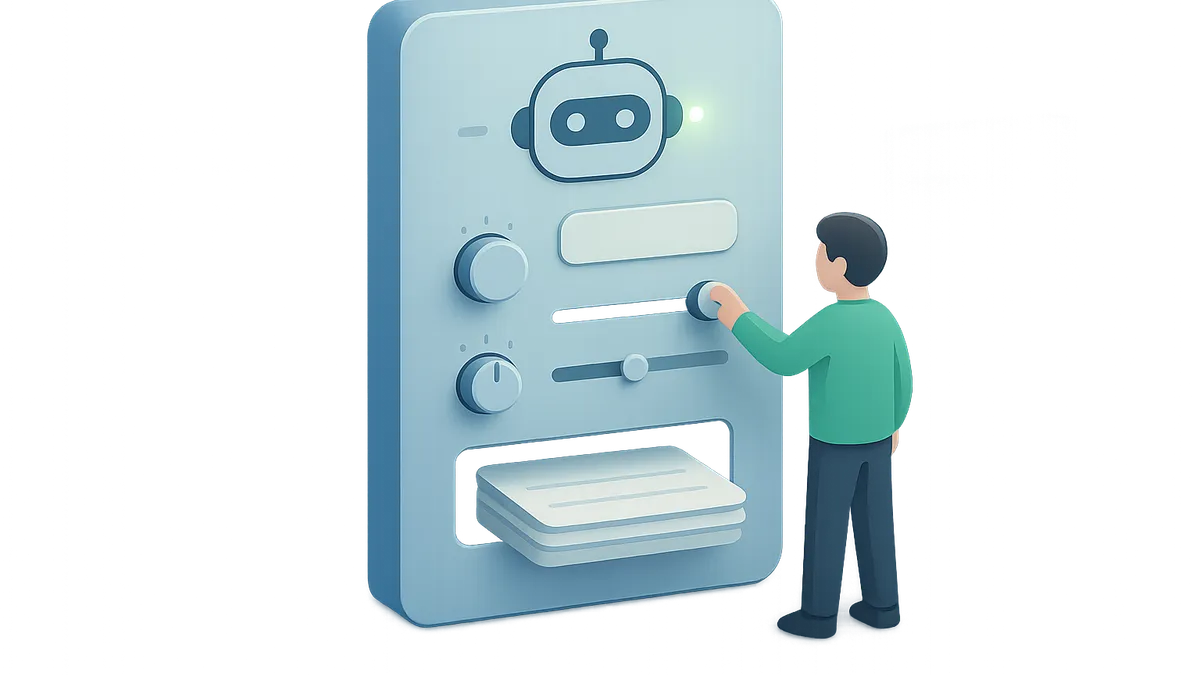
An operator configuring a chatbot control surface with blank reference sheets and active settings

A billing question from chatbot to agent

A customer opens your browser chat form with a question about their bill.

The chatbot answers the first question. When the customer reports a billing error and asks for a person, iService routes the chat to an agent with billing skills, who picks up the same conversation. The agent creates a ticket for the correction during the chat, and the chat stays open while they check other iService pages. Once the chat is resolved, the agent confirms the correction by email in the same conversation.

A manager reviewing an active chat, agent availability, and a queue of waiting chats

Chat on the same queues as email and tickets

Chats join the queues your team already works for email and tickets and route by the same rules. Agents answer with the same Knowledge Base tools, each chat is saved to the same customer history, and the same access controls decide who can see it.

An automated chat handed off to a staffed agent while retaining its context

Control chatbot answers and monitor chats live

Your chatbot answers from the instructions and files you give it and hands the chat to an agent when the customer asks. Agents get an alert when a chat is waiting. Managers see every live queue, each agent’s status, and bot chats as they happen, and they can take over or end a conversation. They also read transcripts and response-time reports.

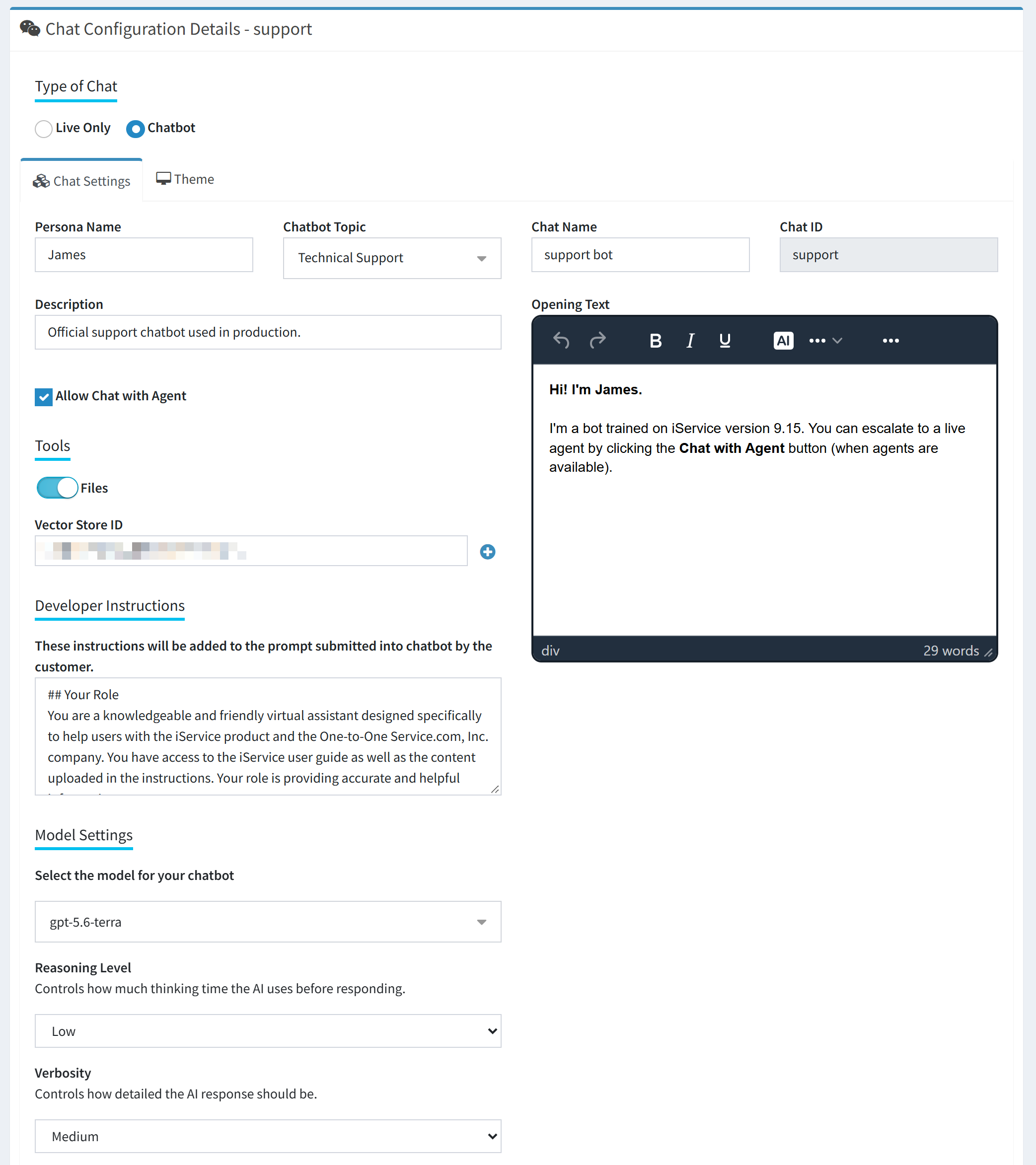
iService chat configuration with chatbot persona, agent handoff, knowledge files, instructions, and model settings

iService features on this page

  • Chatbot answersA chatbot answers chat questions from your content and hands the conversation to an agent on request.
  • OpenAI Responses API chatbotsiService chatbots run on the OpenAI Responses API. You select the model, set temperature and top-p, and can attach a vector store of your own content.
  • AI provider configurationEnter your OpenAI or third-party API key and choose the model iService uses to generate answers.
  • Knowledge base chatPublish a chat window that answers from knowledge base articles for the segments you choose.
  • Record chatbot historyAll chatbot sessions are saved in the iService database as contact history and are available for analytics and intelligence.
  • Live chatPublish a chat window on your site and answer customers while they wait.
  • Builtin chat formsUse the builtin chat forms to get started with chat on your website with minimal setup.
  • Easy customization of chat formsEasily brand the builtin chat forms to match your business, and modify the pre-chat survey to capture desired information.
  • Create custom chat formsMake your own chat forms of any size and with any HTML formatting desired.
  • Capture details in pre-chat surveyCapture contact information for the customer using a pre-chat survey that can be customized as desired.
  • Integrate KB articles into processIntegrate KB articles into the pre-chat survey and answer questions before the chat is submitted.
  • Intelligent chat menuDisplay the status of each topic within the pre-chat survey list of topics. Offer to take a message for topics with no available agents.
  • Single topic chatCreate chat links that are tied to a single topic. This allows you to display online/offline status without the customer needing to click through menus.
  • Proactive chatProactively offer chat to customers that have been on a page for longer than a specified time.
  • Send chat links via email or SMSSend a customer a link to begin chatting via email, SMS or any other method.
  • reCAPTCHA supportUse an invisible reCAPTCHA to protect your chat forms from abuse.
  • WebsitesRegister the domains that may host your forms and chat windows.
  • Skills-based routingUse skills-based routing to assign chats to the right agents using the ACD style Take Chat buttons. Routing follows the same configuration used for messaging.
  • Availability trackingTrack agent availability for each topic based on their skills and chat available status. Publish the status for each topic via iService APIs.
  • Designate chat agentsAssign chat assess as needed based on user types. Agents can handle messaging, chat, or both.
  • Assign chat directlyManagers can directly assign chats to agent from the Manage Chats page.
  • Forward in-progress chatsAgents can forward chats to other agents or place them into the "Unassigned chat" queue.
  • Abandon the chat queue and leave a messageWhile waiting for an agent to accept their chat, customers have the option to leave a message instead.
  • Full access to contact details and historyChat is a core part of iService and the interface includes 360 degree view of all contact details and interaction history.
  • Chat historyEvery chat dialogue is saved into customer history and has the same attributes as any ticket. Add notes, send follow up emails, create new tickets as part of the conversation.
  • Agent ended chatAllow agents to end chats when necessary.
  • Real-time view of all chatsManagers can view all chats in their segments in real-time. The Manage Chats page updates without reloading and shows details about every chat.
  • Monitoring ongoing chat dialogueManagers can view the real-time dialogue for active chats.
  • Monitoring chat agentsLogged in Chat agents page shows a real-time view of chat agents that are available and their activity during the day.
  • Monitor agents available by topicManage chats page shows the agents logged in and available for each topic.
  • Managers can take actions on chatsManagers can view the real-time status of all active chats and change their topic, assign them to other agents, or end the chat if abuse is occurring.
  • Managers can end chatsManagers can monitor all active chats and terminate any active chat as needed.
  • Abandoned chatsMonitor chats for inactivity, and resolve them after a specified amount of inactivity.
  • Customer chat formsBuild as many customer chat forms as you need with the wizard in Custom Forms Admin. Each form uses your segments, topics, skills, and agents.
  • Target deploymentDeploy one chat or chatbot configuration as a WordPress plugin, a script tag on any HTML page, a link in the agent menu, or a standalone URL for email and web links.
  • InfoSec considerationsChat forms turn on reCAPTCHA v2 by default, accept no customer posts until an agent joins, limit each post to 1,200 characters, block file transfer by default, and show customer content as plain text.

See chat and chatbot handoff in iService

Request a demo to see a configured chatbot hand a live conversation to a skills-qualified agent while iService keeps both parts in contact history.

Request a Demo

Chat with support