
Common use case

Integrated business development solutions

Leverage service operations for lead capture, Salesforce data enrichment, nurture campaigns, quotes, and more from the tools your service team already uses.

A prospect record moving from a submitted form through nurturing to a tracked quote

Leverage your service organization for new business

Service interactions are often the best time to develop new business.

iService manages lead capture, Salesforce data enrichment, nurture campaigns, quotes, and follow-up calls in one system that can drive both sales and service. Quotes and campaigns are available to everyone that works on an account.


Forms, properties, campaigns, and quote topics

Submit actions and contact properties drive the follow-up.

An iService landing-page form updates contact properties, adds the contact to a mailing list, and starts a nurture campaign. A quote topic opens the quote form when an agent handles a quote request. Every quote iService sends creates a tracking ticket in Open Quotes.

A submitted landing form updating a prospect record and starting follow-up

From a form submission to a tracked quote

One prospect moves from a form submission to a quote your managers can see.

A prospect submits a landing-page form. iService updates the contact properties, adds the prospect to a mailing list, and starts a nurture campaign. When the prospect requests pricing, the agent uses a quote topic that opens the quote form. Sending the quote creates a tracking ticket in Open Quotes. The manager sees that open quote in the pipeline view.

A manager reviewing open quotes while an agent prepares a follow-up call from a contact record

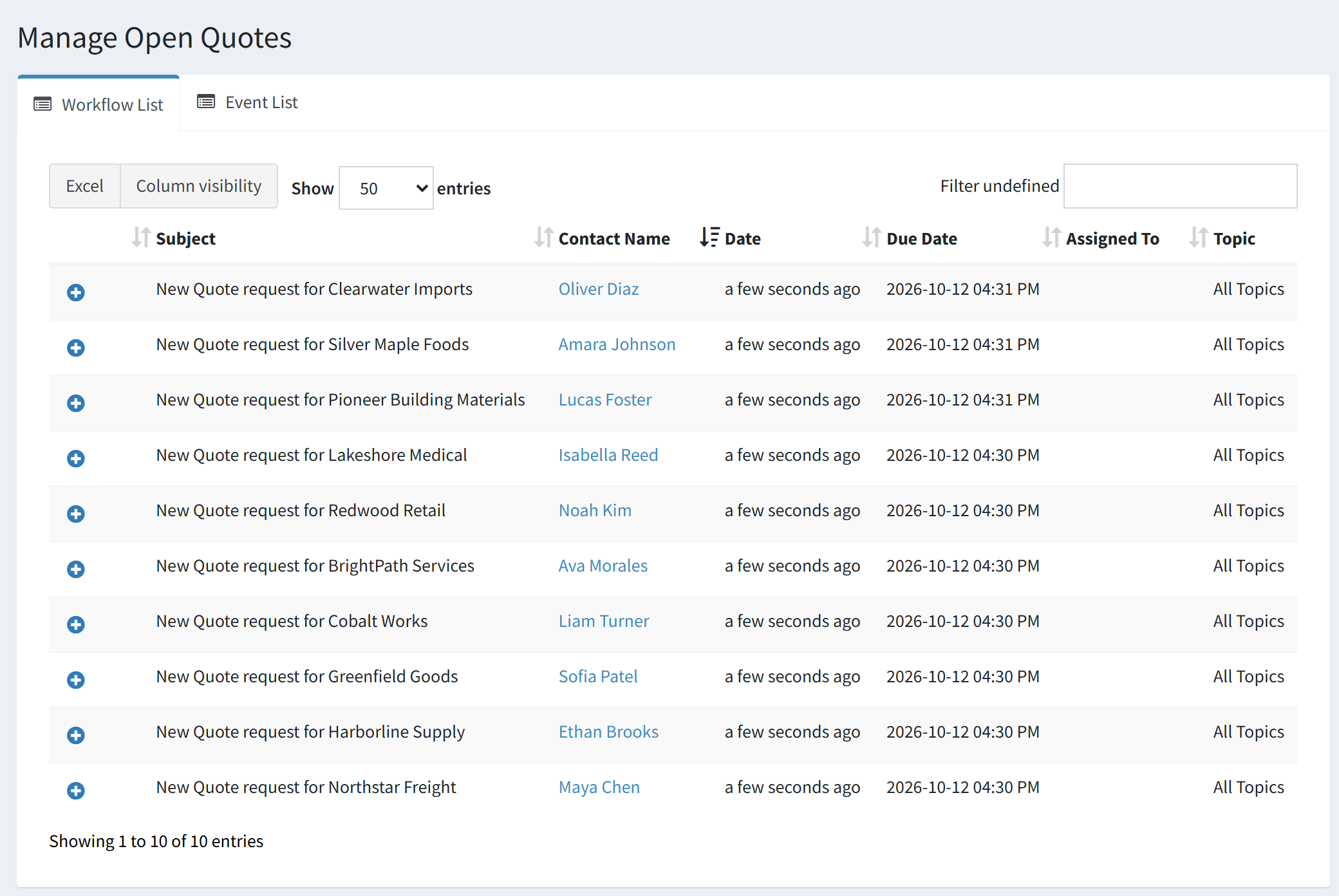
Every open quote in one view

Managers need one view of every quote still open.

iService shows managers every open quote in one pipeline view while agents work their own quote list. Every quote sent creates a tracking ticket in Open Quotes. The quote work stays with the customer record your service team already uses.

iService Manage Open Quotes workflow list with subject, contact, due date, assignee, and topic for each quote request

Outbound calls from a contact search

Outbound calling is part of this work too.

The iService Preview Dialer builds a call list from any contact search and shows each contact before the call. Your team can select the contacts that need follow-up, review each record, and make the next call from the list.

iService features on this page

  • Custom web forms and landing pagesBuild a public form or landing page in the page editor and publish it on your own domain.
  • Contact propertiesDefine the fields your business keeps on a person, and use them in filters, reports, and mailings.
  • SalesforceConnect Salesforce so agents see account and case data beside the message.
  • Add contacts to mailing listsAdd contacts via Mailing Lists, iService Utility, or contact details
  • Scheduled campaignsDesign a series of messages to send on a schedule for nurture marketing, newsletters etc.
  • Context sensitive agent interfaceAgent response interface can be modified depending on the type of question. For example, requests for a quote can trigger a quoting form instead of the standard RTE answer panel.

See business development work in iService

Request a demo to see a landing-page form start a nurture campaign, a quote create an Open Quotes ticket, and the Preview Dialer build a call list.

Request a Demo

Chat with support